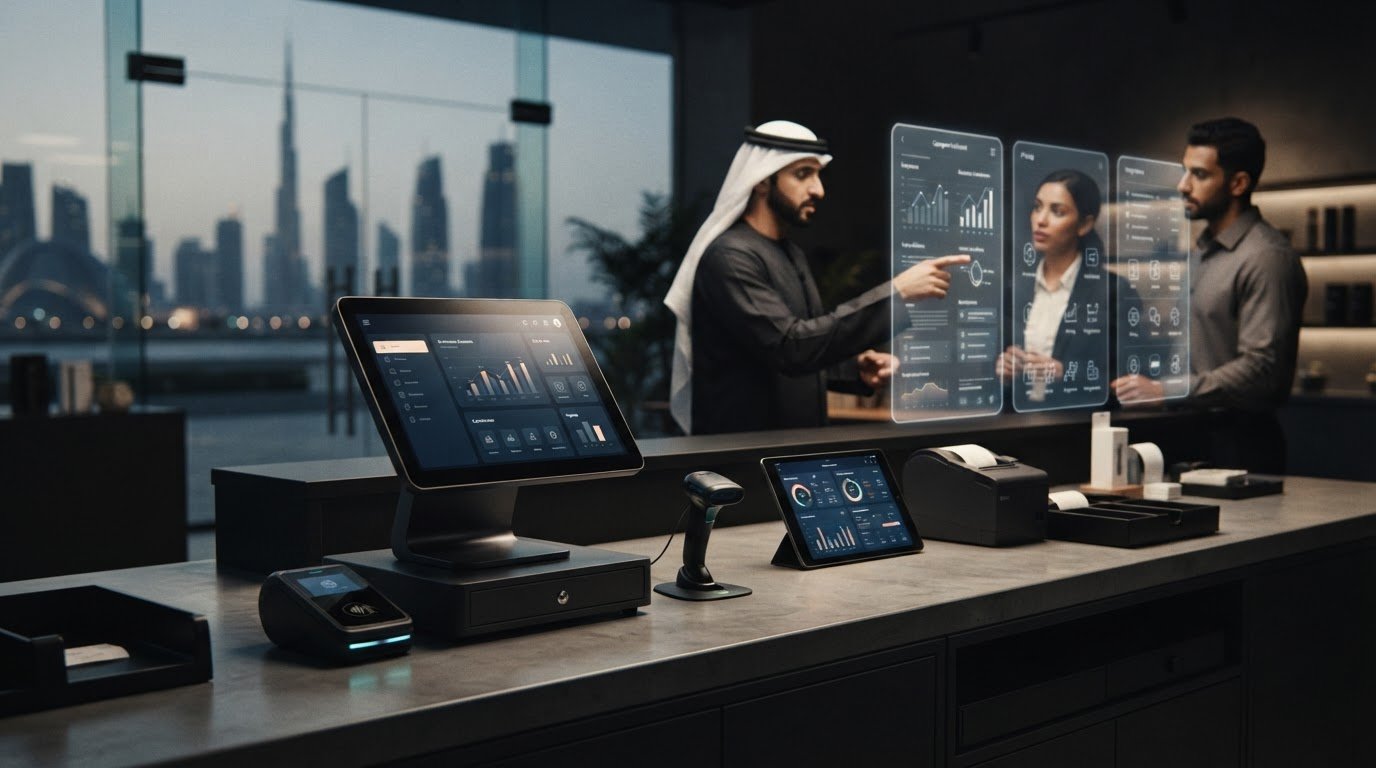
The best-known POS company may be the wrong choice for your business. The best pos companies are the ones that fit how you sell, serve customers and manage daily operations, not simply the ones with the boldest claims.
Comparing options can be difficult when pricing structures, integrations and support models vary. A system that looks suitable on paper may slow checkout or create extra work if it doesn’t match your workflows. Start by defining what your business needs the system to do, then compare options against the same criteria.
This guide explains how to compare POS companies using business fit, core capabilities, costs, integrations and support. It also shows how to account for your industry, transaction volume and international requirements. PaySelect’s independent POS selection tool helps structure the comparison, while payment infrastructure advisory can support more complex decisions. The aim is to move from provider claims to a practical, well-informed shortlist.
Key Takeaways
• The best pos companies are defined by how well they support your workflows and operating model, not by broad claims.
• Compare POS options against the same criteria, and separate documented capabilities from promotional language.
• Map staff workflows, existing systems, transaction patterns and reporting needs before building a shortlist.
• Assess each company profile against your needs, from focused retail or hospitality operations to more complex setups.
• Use a structured comparison to turn your requirements into a clearer shortlist and a practical next step.
What makes a POS company one of the best choices for your business?
The best POS company is the one that supports the way your business operates. A busy retailer, a restaurant managing table service and a business selling across borders may need different workflows, even if each needs to accept payments at checkout. The best pos companies for your shortlist are those whose documented capabilities fit your daily tasks, existing systems and business plans.
POS companies may bring together payment terminals, software for recording sales, connections to other business tools and related services. The combination varies. Some offerings focus on checkout, while others pair payment acceptance with broader operational functions. The Point of Sale (POS) systems overview provides background on how these systems and their components have evolved.
A POS provider supplies or supports a system. PaySelect is an independent platform that helps businesses compare POS and payment options. Its selection tool matches merchants with relevant options based on factors such as industry, transaction volume and international requirements. PaySelect helps structure the comparison and identify options to assess; it does not process payments or supply a POS system.
Which types of POS companies appear in a business shortlist?
Shortlists often include different provider profiles. Treat these as starting points for comparison, not guarantees that every provider in a category offers the same functions.
Retail-focused profiles
can be assessed for checkout, inventory tasks and store workflows. A shop, for example, may need sales activity to connect smoothly with how staff keep track of products.
Hospitality-focused profiles
can be assessed for ordering, table management and service workflows. A restaurant might prioritise how orders move from customer interaction to payment.
Broader payment and POS profiles
may combine payment acceptance with POS functions, but the tools and support included differ by provider.
When comparing POS machines and systems, look beyond the list of products and features. Consider how each capability connects to the work staff already do.
Why does the right POS company depend on business fit?
Business size, operational complexity and transaction patterns shape what matters most. A single-site business may prioritise a straightforward checkout process. A business with several sales channels, more complex staff routines or international requirements may place greater weight on system connections and consistency across operations.
A feature list alone can’t establish suitability. A feature may sound useful but add little value if it doesn’t support a real task, connect with a system the business relies on or suit its transaction patterns. Compare each capability with an actual workflow, and distinguish specific information from general marketing language.
POS-company fit is the alignment between a business’s workflows and the system capabilities that support them. Use that as your starting point: assess how each option serves your operation, not how many features it claims to include.
How to compare POS companies across features, integrations, and support
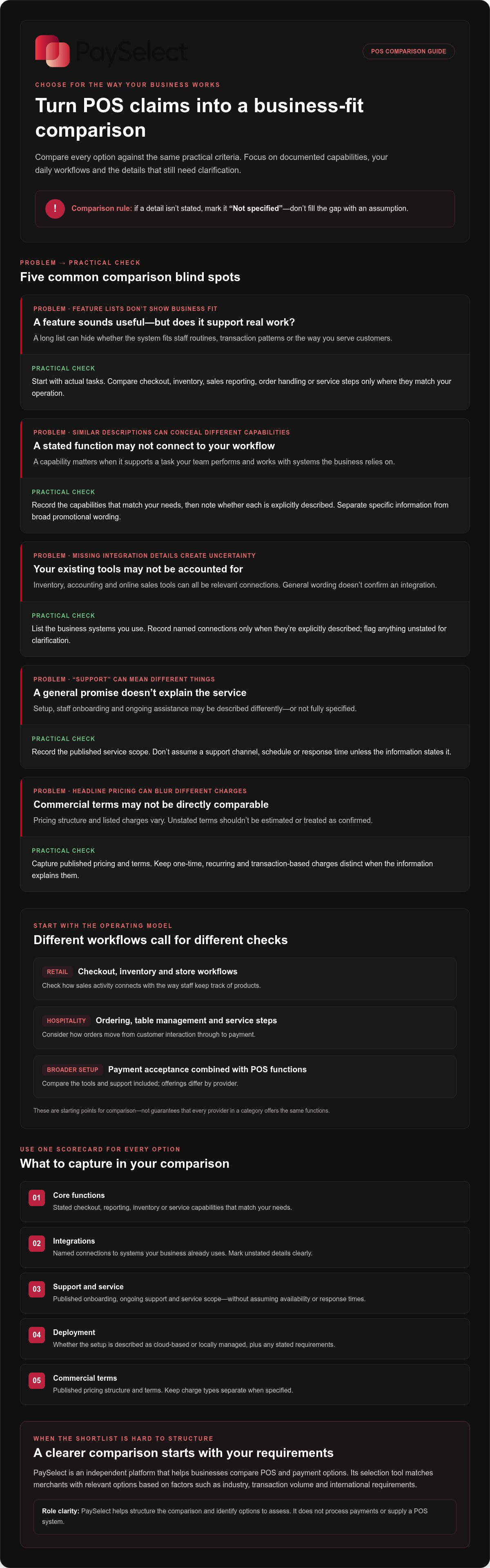
Compare every option against the same criteria. The aim is to understand how a system would fit your operation, not to assume that providers with similar descriptions offer identical functions. If a detail isn’t stated, mark it as “not specified” rather than filling the gap with an assumption.
Which POS features should businesses compare first?
Start with the tasks your team needs the system to handle. A retailer may prioritise checkout flow, inventory functions and sales reporting. A hospitality business may focus on order handling and service steps. In either case, consider whether staff can use the system smoothly during routine work and whether its reports provide the information you need to make decisions.
Next, list the business systems the POS needs to connect with, such as inventory, accounting or online sales tools. Record integrations only when they’re explicitly described. Apply the same care to deployment: note whether the information describes cloud-based access or a locally managed setup, but don’t infer one from general wording. Compare POS machine options alongside the system they’re intended to work with, since hardware and software are both part of the setup.
| Comparison area | What to record |
|---|---|
| Core functions | Stated checkout, reporting, inventory or service capabilities that match your needs. |
| Integrations | Named connections to systems your business already uses. Mark unstated details clearly. |
| Support and service | Published onboarding, ongoing support and service scope, without assuming availability or response times. |
| Deployment | Whether the provider describes a cloud-based or locally managed setup, and any stated requirements. |
| Commercial terms | Published pricing structure and terms. Keep one-time, recurring and transaction-based charges distinct when the information explains them. |
How should service, support, and commercial terms be assessed?
Support can shape the day-to-day experience as much as features do. Compare what each provider states about setup, staff onboarding and ongoing assistance. A general promise of “support” doesn’t specify a service channel, schedule or response time. Record the stated scope, then note what remains unclear.
Review commercial terms with the same care. Capture the stated pricing model and listed charges, but don’t estimate fees or assume that similar-looking plans include the same services. Where the information separates one-time, recurring or transaction-based charges, record each category distinctly. This makes the comparison more useful and helps you spot costs or operating conditions that broad descriptions might obscure.
Total POS fit depends on features, service and system connections working together, not on a feature list alone. A consistent comparison makes differences easier to assess and helps narrow your shortlist. PaySelect’s POS selection resource can help organise the comparison around your business requirements.
Which POS company profile suits retail, hospitality, or complex operations?
A useful shortlist reflects the work your business needs to complete, not a universal ranking. Specialist POS profiles may focus on a particular type of operation, while broader payment and POS profiles may cover a wider set of needs. Neither is automatically the better choice. Consider the trade-off between a closer match to a specific workflow and the range of capabilities your operation needs across teams or channels.
Provider capabilities vary, so use these profiles as comparison lenses rather than promises about what every company offers. Assess stated capabilities against your requirements, and don’t count an undocumented function as part of the comparison.
What should retail businesses look for in a POS company?
For a retailer, start with the path from item selection to completed checkout. Consider how staff process a sale, whether the system supports the inventory visibility the business needs, and how its stated functions reflect actual store processes. A business selling a focused range through one checkout may have different priorities from one managing varied stock or multiple sales channels.
Then compare reporting and integrations with the tools and routines already in place. Identify the sales information managers need, and record which connections a provider explicitly describes. Don’t assume every retail-focused system handles inventory, reporting or integrations in the same way. A specialist profile may align closely with familiar store tasks, while a broader platform may be worth assessing if the business has needs beyond the shop floor. Decide based on evidence of fit, not the category label.
What should hospitality and multi-operation businesses compare?
Hospitality teams should trace how an order moves through service, from the point it’s taken to payment and reporting. Compare the provider’s stated functions with the way staff coordinate work during busy periods. A setup that suits one service model may not match another, so define the steps your team follows before judging a feature list.
For businesses with multiple operations, consider whether processes and reporting need to stay consistent across teams or locations. More moving parts can make payment infrastructure decisions more involved, particularly when transaction patterns or international requirements vary. A broader-platform profile may be worth assessing for wider operational needs, but don’t assume it includes every required function. Compare the described scope and trade-offs with the structure of your business.
If checkout acceptance is part of the decision, compare relevant payment gateway options alongside the POS requirements. For a business with different types of sales, map each one separately and note where staff handoffs, payment steps or reporting needs differ. This can show whether one provider profile appears to cover the operation or whether different requirements need closer consideration.
The best pos companies for one business may not suit another. Match each profile to the checkout context, staff workflows, operating structure and reporting needs that define day-to-day work. That keeps the comparison practical and avoids naming a winner before the fit is clear.
How to shortlist POS companies without overlooking operational risks
A disciplined shortlist starts with your operation, not a provider’s sales claims. Map the work the system needs to support, define what it must do, compare documented evidence on equal terms, then assess the remaining options against your operating needs. This sequence can expose gaps before they lead to checkout delays, duplicated work or integration challenges.
What should a business define before reviewing POS companies?
Write down how sales are completed today and who uses the system. Include everyday checkout tasks, staff roles, business locations, reporting needs and the systems that support your operations. Note transaction patterns too, such as whether activity varies by channel, service type or operating period. These details help distinguish essential requirements from preferences.
Separate must-haves from improvements that could wait. For example, a connection to an existing business system may be essential to a current process, while a new reporting feature could be a later enhancement. Describe payment and technical requirements in plain language. Don’t treat a provider’s broad description as proof that it supports a particular integration, workflow or service arrangement.
How can teams compare provider information consistently?
Use one comparison sheet for every company under review, with the same criteria and standard of evidence. Keep stated capabilities separate from assumptions, and record whether information comes from a general provider description or a detailed specification. If a point isn’t described, mark it as “not specified” rather than treating it as included.
Separate the information into practical categories:
Capabilities
documented functions relevant to checkout, staff tasks and reporting.
Connections
stated integrations with the systems your business uses.
Service
published onboarding and ongoing support scope.
Commercial terms
stated pricing structure and charges, without adding estimates.
Open questions
details that could affect implementation or everyday use but aren’t explained.
Unverified assumptions can create friction later. A team might plan around an integration that isn’t documented, or expect a support arrangement that a general service statement doesn’t describe. Flag these gaps early and consider their practical impact: could the missing detail affect staff routines, reporting or checkout continuity?
Map needs, set must-haves, compare evidence, then assess operational fit. That sequence turns a broad search for the best pos companies into a manageable decision process. PaySelect’s POS comparison and selection information offers a structured way to match options to business requirements.
How PaySelect helps businesses compare POS companies and move forward
Choosing a POS system can raise broader questions about how payment arrangements fit the business. PaySelect’s comparison resource supports the POS decision, while its advisory services help organizations review payment infrastructure beyond a single system choice.
How does PaySelect help narrow a POS shortlist?
A structured comparison helps teams move from a broad set of options to a shortlist they can assess against their priorities. PaySelect’s Take the Test tool matches merchants with relevant payment options based on factors including industry, transaction volume and international requirements. Use the results to identify differences that matter to your operation, then note any decisions that could affect the wider payment setup. PaySelect provides transparent comparison information and earns referral commissions from payment providers for qualified leads.
When can payment infrastructure advisory add value?
For larger organizations, advisory and consulting support can help review payment infrastructure as a connected business system. This can include assessing payment costs and considering the organization’s technical-stack strategy. A payment cost optimization audit can support that review by helping decision-makers examine the existing setup and identify areas for consideration, without promising a particular saving or result.
Bring the relevant teams into the discussion, clarify the operational priorities behind the POS decision, and consider whether a broader infrastructure review would be useful.
Turn your POS shortlist into a confident next step
Your POS decision should support more than the next transaction. Consider how the choice will work as your business changes: who will coordinate the rollout, what staff need to learn, and which everyday tasks should be tested before the system becomes part of routine operations. Planning these steps connects the decision to the people and processes that will rely on it.
The best pos companies for your business are ultimately the ones that can support your operating priorities as they evolve. Keep your requirements visible as you move from comparison to action, and make sure the decision reflects both current needs and the direction your business is heading.
Ready to take the next step? Compare POS options for your business and move forward with a clearer shortlist.
Frequently Asked Questions
What makes a POS company the best choice for a business?
The best POS company supports your business priorities, not simply the longest feature list. Before choosing among the best pos companies, decide how you’ll judge success: less manual work, clearer sales oversight or smoother coordination between staff. Then assess whether the system’s stated functions support those aims. This turns a general preference into practical criteria your team can use to evaluate whether a solution suits its operation.
How can I compare POS companies fairly?
Compare every option using the same business scenario. For example, trace a typical sale from checkout through the reporting your team needs afterward. Record what each company explicitly says the system can do, and keep unanswered points separate from documented capabilities. This makes it easier to spot meaningful differences without treating polished marketing language as proof that a function, connection or service is included.
Are POS companies and payment providers the same?
Not always. A POS company focuses on a point-of-sale system, which may combine checkout equipment and software. A payment provider focuses on enabling payment acceptance. Some businesses encounter providers that cover both areas, while others use separate services. The distinction matters because selecting a checkout system doesn’t automatically answer every question about payment acceptance, and a payment service alone may not cover the workflows staff need.
Can one POS company work for both retail and hospitality?
It can, if its documented capabilities match the needs of both operations. A business that sells products and serves food, for instance, should map the different staff tasks and customer journeys before deciding whether one setup fits. Compare the stated functions for each workflow separately. A system that suits checkout in one area may not support the service coordination or reporting another team relies on.
What should a small business prepare before choosing a POS company?
Prepare a short picture of how the business runs: typical sales, who handles checkout, which tools staff use and what information managers need to review. Include less frequent but important cases, such as refunds or order changes, if they’re part of your operation. This helps you explain real requirements clearly and assess whether a POS option supports routine tasks as well as occasional ones.
How does PaySelect help businesses find POS options?
PaySelect’s Take the Test tool gives merchants a starting point for reviewing relevant payment options based on factors such as industry, transaction volume and international requirements. Use the comparison information to identify provider differences that matter to your operation, then assess those details against your priorities. This turns an initial result into a working shortlist rather than an automatic decision. PaySelect supports comparison and selection, while the business retains control of its final choice.
When should a business seek POS and payment infrastructure advice?
Consider advisory support when payment decisions extend beyond choosing a checkout system. A larger organization managing multiple operations, payment channels or technical systems may need to review how its infrastructure works together. Advice can help teams examine payment costs and technical-stack strategy as part of that review. The aim is to support informed planning around the organization’s needs, rather than promise a specific saving or outcome.
Disclaimer
This content is for informational purposes only and should not be considered financial, legal, or regulatory advice. Payment provider availability, pricing, and approval processes vary depending on individual business circumstances. PaySelect does not guarantee provider acceptance or specific outcomes. Businesses should conduct their own due diligence before entering into any agreements.
Empowering businesses to achieve greater growth