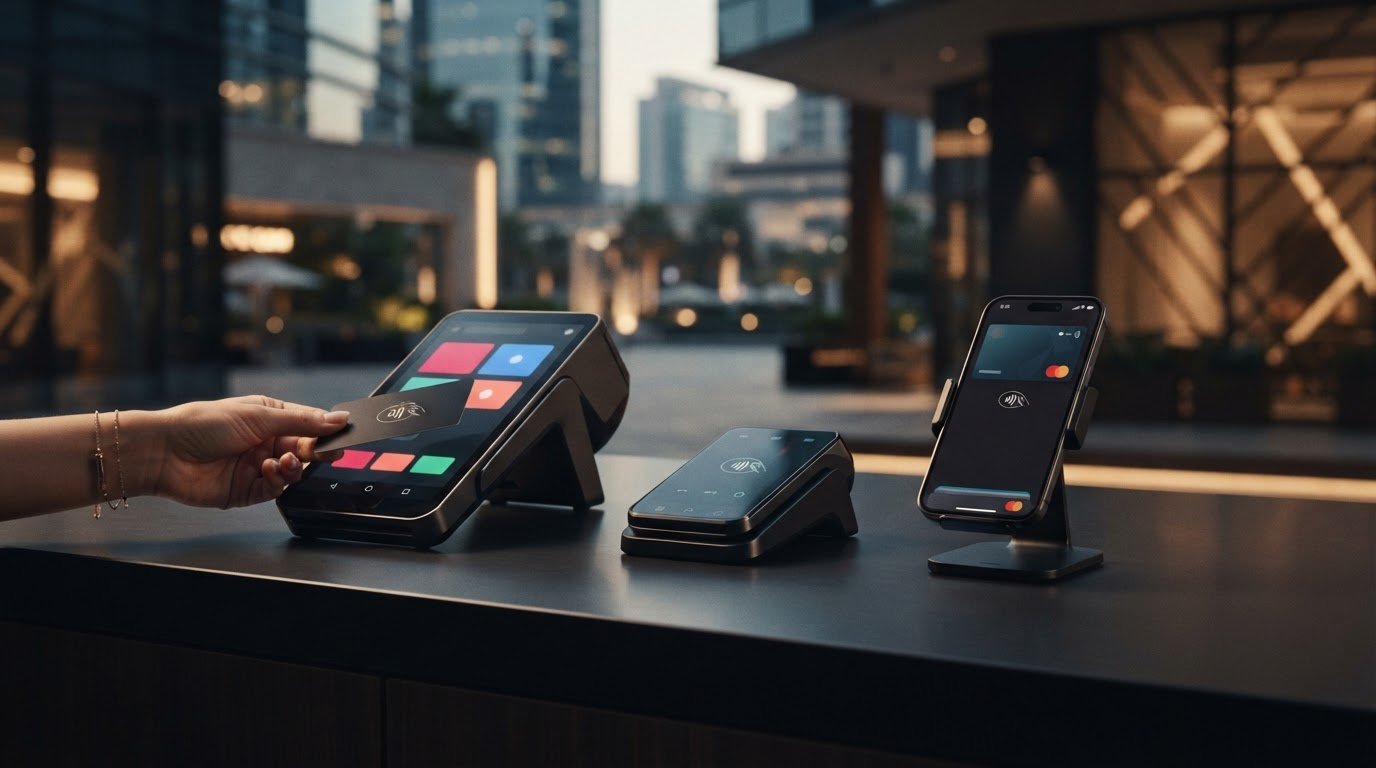
Could the most feature-packed terminal be the wrong choice for your business? The best pos machine uae businesses can choose is the one that fits how they take payments, serve customers and manage daily operations. A fixed checkout, portable terminal and mobile setup each support a different workflow. Comparing devices by features alone can leave important needs unresolved.
Before committing to a POS setup, consider where transactions happen, which payment methods you need to accept, how the terminal connects with sales systems, and what the provider’s commercial terms include. A good fit can make checkout more straightforward and help avoid surprises in everyday use.
This guide compares common POS machine formats and the practical trade-offs to consider in the UAE. You’ll learn how to assess payment acceptance, setup requirements and total costs against your business needs. PaySelect’s POS System Selection Tool matches businesses with providers based on industry, transaction volume and international requirements. PaySelect is an independent comparison platform that earns success-based referral fees from selected providers, and discloses this model.
Key Takeaways
• A payment terminal accepts in-person payments, while POS software records sales and supports wider business operations. These may be combined or used as separate parts of a setup.
• Compare portability, connectivity and payment acceptance against the way your team serves customers. Treat extra features as optional unless they solve a real operational need.
• For the best pos machine uae fit, start with your checkout workflow, then map payment needs, integrations and provider terms before shortlisting options.
• Fixed checkout, staff-assisted service, mobile selling and multi-location operations each call for different priorities. There’s no universal winner.
• PaySelect’s POS System Selection Tool matches businesses with providers based on industry, transaction volume and international requirements. Its referral-fee model is disclosed.
What makes a POS machine the right fit for a UAE business?
The right POS setup supports how your business takes payments, records sales and serves customers. A POS machine is the device or interface a customer or staff member uses to accept and record an in-person payment. It may be a standalone payment terminal or part of a wider setup that connects payment acceptance with sales software.
That distinction matters. A terminal may accept payments smoothly while the business still needs separate software to track sales or manage other records. The what a POS system is overview provides broader context on the components commonly associated with point-of-sale systems. For a UAE business, the best pos machine uae option depends on how those components fit the actual checkout workflow, not on the device label alone.
POS machine, POS system and payment processing: what is the difference?
The payment terminal is the customer-facing or staff-operated device used to take a payment. POS software can record sales and support tasks beyond payment. Payment processing is the service that routes an accepted transaction through the relevant provider so it can be handled as a payment.
These parts may come from separate providers or work together in a connected setup. A device comparison is therefore only one part of the decision. Consider how the terminal, software and processing arrangement fit together. PaySelect’s POS machine comparison helps businesses compare POS options according to their needs.
Which UAE business situations need different POS setups?
In a shop where customers bring purchases to one checkout counter, a fixed terminal may suit the workflow because staff and customers return to the same payment point. In a service business where employees take payment beside the customer, away from a central desk, a setup that can move with the employee may be more practical.
The business category alone doesn’t determine the right format. Service style, transaction flow and staff routines all matter during a busy shift. A fixed device may be a poor fit if staff regularly leave the counter to complete sales. A mobile setup may add unnecessary complexity if every transaction happens at one checkout. Businesses with multiple locations should also consider how consistently staff can use the setup across their operations.
Start by mapping where payments happen and who completes them. Then consider how the device fits the software and processing arrangement. PaySelect’s POS System Selection Tool matches businesses with providers based on industry, transaction volume and international requirements, helping make those needs easier to compare.
Which POS machine features should you compare before choosing?
Compare a POS setup against the work it needs to do, not the length of its feature list. Start with the essentials: where payments happen, how the device connects, which payment methods your customers use, and whether sales records need to connect with other business systems. Treat additional functions as optional unless they solve a clear operational need.
How do countertop, portable and mobile POS machines differ?
Each format supports a different checkout flow. A fixed counter keeps payment at a designated point, while portable and mobile setups can support transactions away from it. The table outlines practical trade-offs to consider, without assuming one format suits every business.
| Format | Typical use case | Potential advantage | Consideration |
|---|---|---|---|
| Countertop | A checkout that stays at a fixed counter | Creates a consistent payment point for staff and customers | May not suit teams that regularly take payments elsewhere on the premises |
| Portable | Staff-assisted service where payment may happen away from the main counter | Can bring the payment step closer to the customer | Consider how the team will move, share and connect the device during normal service |
| Mobile | Selling or taking payments in different locations | Supports workflows that aren’t tied to one checkout spot | Assess whether its connectivity and daily handling fit the way staff work |
Which payment and system connections should you assess?
List the payment methods your business needs to accept, then compare that list with the options available through each provider and setup. Acceptance can vary, so don’t assume every terminal or arrangement supports the same methods.
Consider connectivity too. Where do transactions take place, and how does the setup need to connect during service? If POS software records sales or supports other business tasks, identify whether it needs to share information with the payment setup or existing systems. Treat each integration as a requirement to evaluate, not a feature to assume.
Must-have
A format that fits the checkout location, required payment methods and staff routine.
Must-have when relevant
Connectivity and system links needed to complete transactions and manage records.
Optional
Any extra feature that doesn’t address a defined payment or operating need.
For a clearer view of how payment arrangements may differ, explore PaySelect’s payment gateway options. The best pos machine uae choice is the setup that meets essential checkout needs without adding features your business won’t use.
How do POS machine options compare across common business needs?
Start with the payment journey, not the business label. Two businesses in the same sector may run very different checkouts: one may process every sale at a fixed counter, while another brings payment to the customer. These examples are decision prompts, not claims about the capabilities of a particular provider or device. The best pos machine uae choice is the setup that fits where, how and by whom payments are accepted.
What POS setup suits a fixed checkout or retail counter?
A countertop setup can suit a business where customers pay at a consistent checkout point. It creates a predictable routine: staff know where to complete a sale, and customers know where to pay. Before choosing this format, consider the space available at checkout, how queues or customer movement affect payment, and how transaction activity changes throughout the day.
If staff regularly leave the counter to assist customers, a fixed payment point may not support the full service routine. Map when and where payment happens, including during busy periods, before deciding whether a stationary setup is sufficient.
What changes for restaurants, mobile sellers and growing businesses?
In a restaurant or service business, staff may need to take payment near the customer rather than return to a central counter. The priority is a workflow that supports that service style and is manageable for employees. For mobile selling, consider where transactions happen and what connectivity the setup requires in those locations. These are factors to assess, not assumptions that every portable or mobile device has the same capabilities.
As a business grows, its needs may extend beyond taking a single payment. A team may need to review sales across staff or locations, manage access consistently, or connect payment activity with other business records. Assess reporting and integrations against the way the business operates rather than assuming they are included.
For multi-location operations, consider whether the setup supports the processes staff need to follow across sites. Consistent routines and useful records may matter more than choosing the same device format for every location. The right arrangement depends on how teams handle checkout in practice.
Businesses serving international customers may also need to account for cross-border payment requirements in their wider setup. PaySelect’s cross-border payment solutions comparison can help frame that part of the decision.
Bottom line: Match the setup to where payments happen, how service flows and who accepts them. That’s a more useful starting point than looking for one format that suits every business.
How can you choose the best POS machine for your business?
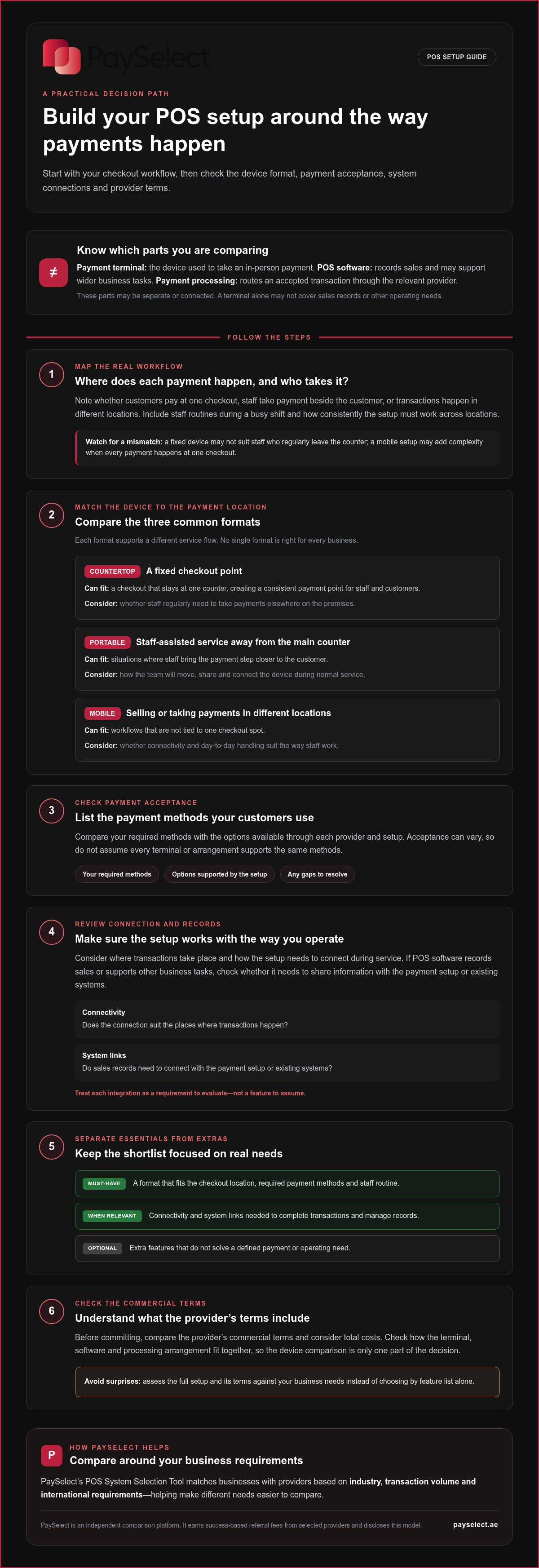
A clear selection process helps you compare the complete payment setup, not just device formats or headline features. Define what happens at checkout, identify what the business needs to accept and record, then compare relevant options against those requirements.
What information should you define before comparing POS machines?
Build a short business profile before reviewing options. Include your business type, where customers pay, how transactions move through the day, and which payment methods customers use. Note whether checkout stays at a fixed point, staff need flexibility across the premises, or payment activity needs to connect with other business systems. Record international payment requirements if they apply.
How can you compare options without focusing on headline features alone?
Use the same criteria for each option. This keeps the comparison focused on everyday use and makes trade-offs easier to see.
1. Map the checkout.
Trace a typical sale from the start of service to payment. Include busy periods, payment locations and the staff involved.
2. List payment needs.
Specify the payment methods the business needs to accept, including any requirements linked to international customers.
3. Assess integrations.
Identify what sales information needs to connect with the payment arrangement or other systems. Separate essential connections from optional ones.
4. Compare provider terms.
Review commercial terms alongside payment acceptance and operational fit. Consider how the arrangement affects staff workflows, the customer experience and routine reconciliation.
5. Shortlist against priorities.
Keep options that meet your essential requirements. Set aside features that don’t address a clear business need.
Industry, transaction volume and international requirements can shape which provider options are relevant, so include them in the comparison rather than treating the terminal as a standalone purchase. PaySelect’s POS System Selection Tool uses these business details to match companies with payment providers. PaySelect is an independent comparison platform, not a payment processor. It earns success-based referral fees from selected providers and discloses this model.
Use this needs-first framework to identify a best pos machine uae match for your operations, then compare the complete setup before deciding. Compare POS machine options with PaySelect using your business requirements as the starting point.
How PaySelect helps UAE businesses compare POS machine options
Comparing POS options involves more than choosing a device. Businesses also need to connect their checkout workflow with relevant payment providers and the wider payment setup. PaySelect is an independent comparison and matching platform that helps businesses assess POS options and payment providers.
What does PaySelect consider when matching POS providers?
PaySelect’s POS System Selection Tool uses three business inputs to shape a relevant comparison:
Industry
The type of business provides context for its payment setup and operating needs.
Transaction volume
Payment volume helps inform which provider options may be relevant.
International requirements
Cross-border needs can be included when a business serves international customers.
These details help focus the comparison on a business profile rather than produce a one-size-fits-all answer. They don’t guarantee a specific provider, feature or saving. Instead, they give businesses a clearer basis for reviewing options and deciding which requirements matter most.
How can a business move from comparison to a decision?
Use the comparison to clarify priorities. Review how each option relates to your industry, transaction volume and international requirements, then consider its fit with your checkout process and wider payment setup. This can help separate essential needs from preferences and make the decision more structured.
PaySelect also provides fixed-fee payment infrastructure advisory and consulting for larger organizations, including hotel groups. Its services include payment infrastructure audits and strategy development to help organizations assess their payment arrangements and transaction costs. PaySelect earns success-based referral fees from selected providers and discloses this model.
If you’re assessing the best pos machine uae option for your business, start with your requirements and compare relevant POS options side by side. Compare POS machine options with PaySelect.
Make your next POS decision with confidence
The best pos machine uae choice isn’t defined by the longest feature list. It’s the setup that fits where payments happen, how your team serves customers and which payment and system connections your operations need. Compare countertop, portable and mobile options against your actual workflow, then weigh provider terms alongside device features.
A clear business profile can make the comparison more relevant. PaySelect matches businesses with payment providers using industry, transaction volume and international requirements. As an independent comparison platform, PaySelect discloses that it earns success-based referral fees from selected providers.
Use your priorities to move from a broad search to a focused shortlist. Compare POS machine options with PaySelect and take the next step toward a payment setup that supports your operations.
Frequently Asked Questions
What is the best POS machine for a small business in the UAE?
The best pos machine uae choice for a small business depends on its checkout workflow and payment needs, not its size alone. A business with one fixed checkout may prioritise a countertop setup, while staff who take payments around the premises may need a more flexible format. Compare accepted payment methods, required system connections and provider terms to find a setup that fits daily operations.
How do I choose a POS machine for my business?
Choose by mapping how payments happen in your business, then comparing options against that workflow. Note your business type, checkout locations, transaction patterns, customer payment preferences and any international requirements. Decide whether you need a fixed device, a flexible way to take payments or links to other systems. Then compare payment acceptance, operational fit, integrations and provider terms, rather than relying on a device label or feature list alone.
What is the difference between a POS machine and a POS system?
A POS machine usually refers to the device or interface used to accept an in-person payment. A POS system can include that device along with software that records sales or supports other business tasks. Payment processing is a separate part of the setup that handles an accepted transaction through a relevant provider. These components may be connected or arranged separately, so compare how they work together for your business.
Can one POS machine accept different types of payments?
A POS machine may accept different payment methods, but available options depend on the provider and the specific setup. List the methods your customers use and need you to accept, then compare that list with the payment acceptance available in each option. Don’t assume every device or provider supports the same methods. Consider international requirements too if your business serves customers from outside the UAE.
Should I choose a countertop or portable POS machine?
Choose a countertop setup if staff and customers complete payments at a consistent checkout point. Consider a portable format if employees need to take payment elsewhere on the premises as part of the service. The best fit depends on customer flow, staff routines and where transactions happen. Think through a typical busy period before deciding, so the device supports the actual payment journey rather than an idealised one.
Does a POS machine include payment processing?
Not necessarily. A payment terminal is the device used to accept a payment, while payment processing is the service that handles the accepted transaction through a relevant provider. POS software may also record sales or support other operational tasks. These parts can be offered separately or connected in a wider setup. Compare the complete arrangement so you understand how device, software and processing fit together.
How can I compare POS machine providers in the UAE?
Compare providers against your business needs: industry, transaction volume, payment acceptance, operational requirements and international needs where relevant. PaySelect’s independent comparison platform uses industry, transaction volume and international requirements to match businesses with payment providers. PaySelect earns success-based referral fees from selected providers and discloses this model. Use the comparison to identify relevant options without treating one device format or provider as right for every business.
Disclaimer
This content is for informational purposes only and should not be considered financial, legal, or regulatory advice. Payment provider availability, pricing, and approval processes vary depending on individual business circumstances. PaySelect does not guarantee provider acceptance or specific outcomes. Businesses should conduct their own due diligence before entering into any agreements.
Empowering businesses to achieve greater growth