

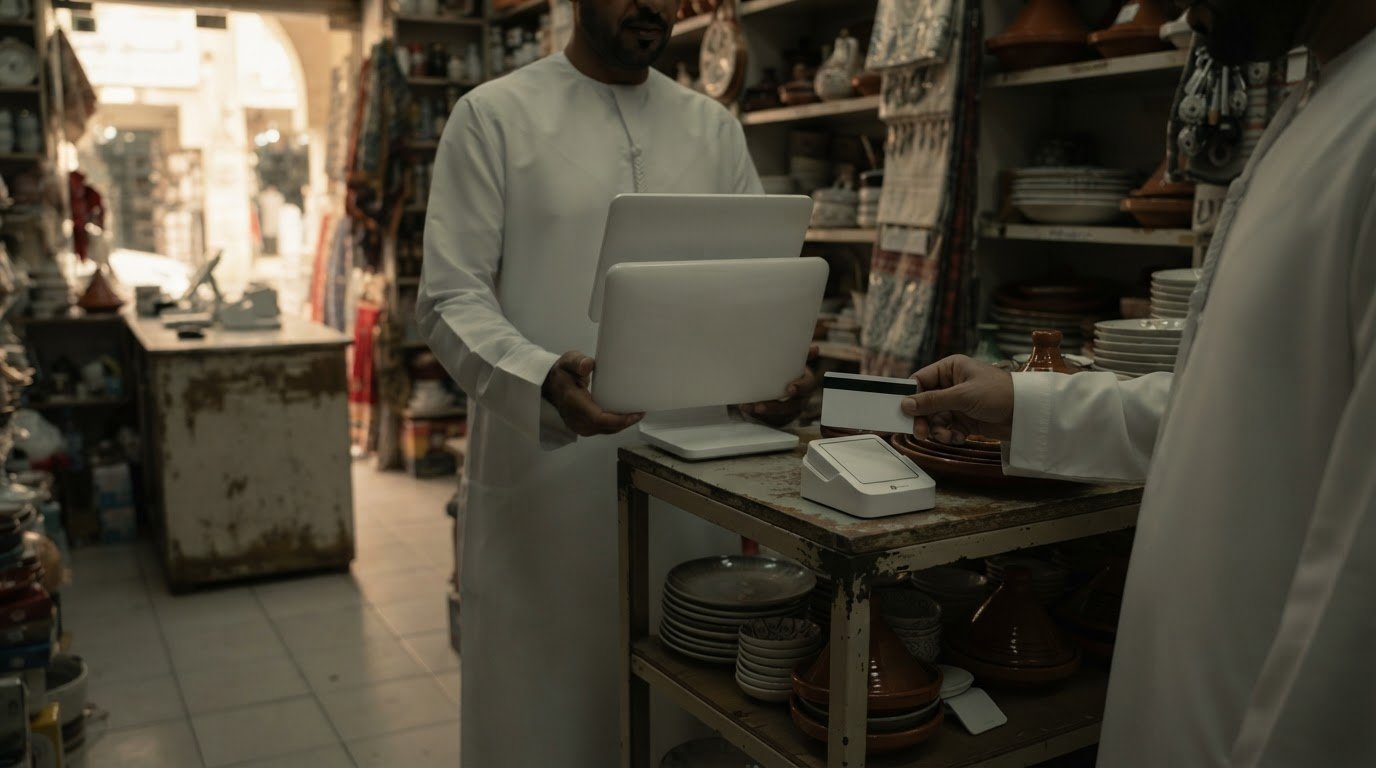
A full POS platform isn’t the right starting point for every small business. To choose a POS machine for your business, match the setup to how you sell: a card terminal for straightforward in-person payments, a full POS system when you need sales, inventory and reporting connected, or Tap to Pay on a compatible NFC-enabled device when you want to accept contactless payments without a separate machine.
It’s easy to focus on the device, but the better choice depends on your daily operations. If you sell online and in person, keeping inventory aligned across both channels may matter as much as checkout speed.
This guide explains how to choose a POS machine for your business by comparing mobile and integrated setups, online-store connections and UAE cost factors. You’ll learn when a small business may need more than a card terminal and what to weigh before choosing a setup for current operations and future growth.
Key Takeaways
• Choose a mobile or integrated POS setup based on where staff take payments and which checkout tasks need to connect.
• If you sell online and in person, prioritise inventory syncing across both channels to reduce mismatches and manual updates.
• Compare the full UAE cost structure, including hardware, software, transaction fees, setup and any recurring charges.
• Match the setup to your needs: a card terminal for payments, a full POS for connected operations, or Tap to Pay for accepting contactless payments on a compatible device.
1. Wireless integrated POS for mobile payments within a business
A wireless integrated POS lets staff accept payments away from a fixed counter while staying connected to the wider business system. A café can use it for tableside payments; a shop can take payments at a queue or temporary sales point. Choose this format when staff need to move around but sales and payment records must still flow into the main platform.
Separate the setup into three parts: hardware, software and payment processing. The terminal or NFC-enabled phone handles payment acceptance; POS software records sales and may manage stock or reports; the payment provider processes transactions. Hardware generally needs to be supplied or approved by the provider to work with its systems. Before selecting equipment, map where payments happen, then match each location to a suitable device. Compare POS machine options against those workflows.
To get a POS machine in the UAE, businesses apply through a bank or payment provider. Eligibility and requested documents depend on the provider’s onboarding process and the business’s activity, so there is no single document list for every setup. Be ready to provide the business and settlement information requested during the application.
UAE banks and payment providers offer business POS options, but the right one depends on your payment needs and setup. Compare whether each option supports the hardware, software and transaction flow your business requires, rather than choosing by provider name alone.
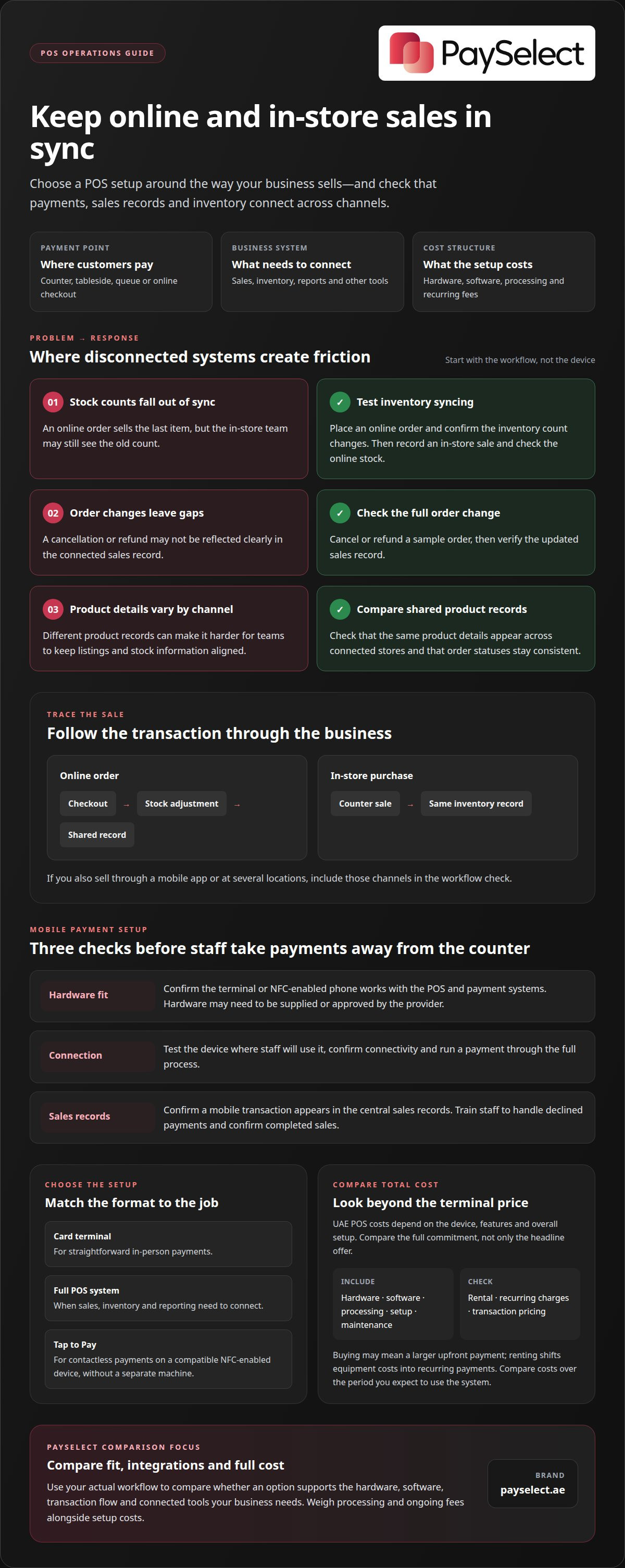
Common risks include an incompatible terminal, weak connectivity at the payment point and sales records that fail to sync. Test the device where staff will use it, confirm the connection and run a payment through the full process before launch. For example, check that a tableside transaction appears in the central sales records.
Plan for staff use and system updates, too. Show employees how to accept payments, handle a declined transaction and confirm a completed sale. Schedule software updates when the POS is not in use, then review reports for missing or duplicated transactions. These steps help keep mobile payments aligned with daily sales operations.
2. Omnichannel and online-store integration
If you sell through an online store and a physical counter, choose a POS system that syncs inventory across both channels. For example, when a customer buys the last item online, store staff need an updated stock count before promising it to someone in person. Without syncing, teams may rely on manual updates and discover mismatches during fulfilment.
Map how each sale moves through your business. Follow an online order from checkout to stock adjustment, then trace an in-store purchase from the counter to the same inventory record. If you also sell through a mobile app, include that channel. This makes gaps between sales and stock processes easier to spot.
Review the software features your team uses alongside payments. A retailer may need shared product records, sales reports and customer information. Accounting tools support financial records, while marketing tools can use customer data for campaigns. These connections should fit your actual workflow, not add systems your staff won’t use.
Before choosing, test the key integrations with sample transactions:
• Place an online order and confirm the inventory count changes.
• Record an in-store sale and confirm the online stock reflects it.
• Cancel or refund an order, then check the updated sales record.
• Review whether the same product details appear across connected stores.
Automation can reduce repeated data entry, but only when connected systems handle information consistently. Check product names, stock records and order statuses across each platform. If your business has several locations, confirm that staff can see the right store’s inventory and sales information. A clear process helps prevent teams from correcting the same record in multiple systems.
Prioritise integrations that solve a current operational problem, such as stock mismatches or delayed order updates. To compare POS setups for these workflows, explore POS machine options.
3. POS costs and renting versus buying in the UAE
In the UAE, POS costs depend on the device, features and overall setup. Monthly fees can also vary with transaction volume and equipment. Compare the total platform cost, not just the terminal: include hardware, software subscriptions, payment processing, setup, rental and maintenance. Recurring charges can significantly affect the long-term cost.
Transaction fees depend on the business, industry and card type. Providers may use interchange-plus, flat-rate or subscription pricing. Compare how each model applies to your expected transactions, then calculate processing costs alongside any monthly platform charges. For a retail shop, include receipt printing, inventory tools and reporting only if staff will use them.
Hardware can be paid for upfront or through monthly payment plans, while renting shifts equipment costs into recurring payments. Businesses negotiating a POS deal can ask for free hardware when signing a 12- or 24-month deal. Compare the full commitment, including processing and ongoing fees.
Which features should a UAE business look for? Prioritise reliable payment acceptance, clear sales reports and features that support daily work. A retailer may need inventory tracking and quick checkout; a café may value order and bill management, while appointment-driven businesses often pair payments with dedicated management tools like Encore Salon & Spa Software. Choose functions that address a real employee or customer need.
To compare renting with buying, list every cost over the period you expect to use the system. Include hardware, software, processing, setup and maintenance, then identify recurring charges. Buying may involve a larger upfront payment; renting spreads equipment costs, but recurring charges need to fit expected sales. Compare the total for each option, not just the headline offer.
Before agreeing, review the provider’s pricing structure and separate transaction-related charges from platform fees. Match each feature to a business task, such as printing receipts or tracking retail stock. Clear pricing makes it easier to forecast expenses and avoid choosing a setup based on hardware cost alone.
4. Choosing between a card terminal, full POS platform, and Tap to Pay
Choose the setup that fits your checkout tasks. A dedicated card terminal accepts in-person payments, while a full POS platform can connect sales, payments, inventory and reporting. Tap to Pay lets a compatible NFC-enabled device accept contactless payments without a separate terminal.
If you’re deciding how to choose a POS machine for your business, start with a typical sale. A small service business with straightforward checkout may need a terminal, while a retailer managing stock and sales may need a full POS. A market stall could use Tap to Pay for mobile acceptance if its device supports the feature.
Countertop POS systems stay at a fixed checkout and may combine payment acceptance with receipt printing or barcode scanning. Mobile setups use a phone, tablet or terminal; tablet systems can include multiple devices and extra hardware, while dedicated EPOS and kiosk manufacturers such as OXHOO offer purpose-built hardware for higher-traffic checkout environments. Choose based on whether employees serve customers at one counter or across a shop or hospitality space.
For UAE customers, prioritise the payment methods they use, including card and contactless payments. Compare support for bank transfers or gift cards, too, and make sure the terminal supports the card networks your business needs.
Consider how each option fits future operations before buying. Traditional terminals may store data locally and can be harder to update or scale. Cloud-based POS systems run online and provide remote access to business data. Some businesses combine fixed terminals with mobile devices for queue-side payments.
A useful way to decide how to choose a POS machine for your business is to match the device to its main job: payments, connected operations or mobile acceptance. Compare compatibility, checkout needs and supported payment methods with the POS system selection tool.
PaySelect: Payment Gateway Comparison Tool
PaySelect helps businesses compare POS setups and payment options against their operational needs. Use its POS System Selection Tool to narrow down options based on factors such as industry, transaction volume and international requirements.
If your setup also includes online payments, the Payment Gateway Comparison Tool and payment pricing comparison can help you assess the wider payment arrangement. Businesses serving customers across borders can use Cross-border Payment Solution Matching to compare suitable providers. These tools can help when a POS decision affects more than checkout, including online sales and international payments.
Visit payselect.ae to explore the available comparison tools.
Make your next payment decision a growth decision
The right setup should support more than today’s checkout. As your business changes, payment needs can shift with new sales channels, customer preferences and cross-border activity. Build your choice around the operations you want to support next, not just the device you need now.
If you’re still weighing how to choose a POS machine for your business, PaySelect can help you compare options in context. Its POS System Selection Tool and Payment Gateway Comparison Tool help align payment choices with business requirements, while Cross-border Payment Solution Matching helps businesses compare options for international payments.
Use the comparison process to define your priorities, assess the trade-offs and choose a setup that fits your direction. Contact PaySelect to discuss your POS needs and take the next step with clarity.
Frequently Asked Questions
Does it actually make sense to get a POS system for your small business?
Yes, if a POS system solves a recurring task beyond taking payment. A small retailer handling varied products may benefit from organised sales and stock records, while a sole service business with simple transactions may need only a card terminal. List the tasks you want to improve, such as finding past sales or tracking stock, then select a setup that covers those needs without adding unused features.
Are POS systems secure?
POS systems can use security measures such as EMV chip readers, contactless acceptance, encryption and PCI DSS compliance. Ask the provider how the setup protects payment data, control staff access and use two-factor authentication, which requires two identity checks. For example, give employees individual access rather than sharing one login. Security also depends on maintaining devices and software and limiting access to business accounts.
Does Tap to Pay replace a full POS system?
No. Tap to Pay can let a compatible NFC-enabled phone or other device accept contactless payments without a separate terminal, but payment acceptance alone doesn’t provide every business-management function. A small operator taking occasional mobile payments may find it sufficient. If you also need stock control, detailed sales reporting or connected records, you’ll need suitable POS software alongside payment acceptance.
How easy is the system to use?
Ease of use depends on how closely the system’s steps match your daily work. Staff should be able to find an item, complete checkout and handle a cancellation without searching through unrelated menus. Before adopting a platform, walk through a typical sale and refund with the people who will use it. Clear screens and a simple routine can reduce training friction.
How much does a POS system cost in the UAE?
There’s no single UAE price: the total depends on the system type, features and setup. Costs may include hardware, software, payment processing, setup, rental and maintenance; monthly fees can vary with the device and transaction volume. Compare interchange-plus, flat-rate and subscription pricing by considering recurring and transaction-based charges together, rather than judging an offer by its hardware cost alone.
What Is a POS?
A POS, or point-of-sale system, is the hardware and software a business uses to complete sales and related tasks. For example, a shop may use a terminal to accept payment, software to record the sale, and connected tools to review stock or performance reports. A basic payment terminal handles transactions, while a broader POS setup can support additional business activities.
Disclaimer
This content is for informational purposes only and should not be considered financial, legal, or regulatory advice. Payment provider availability, pricing, and approval processes vary depending on individual business circumstances. PaySelect does not guarantee provider acceptance or specific outcomes. Businesses should conduct their own due diligence before entering into any agreements.
Empowering businesses to achieve greater growth
