

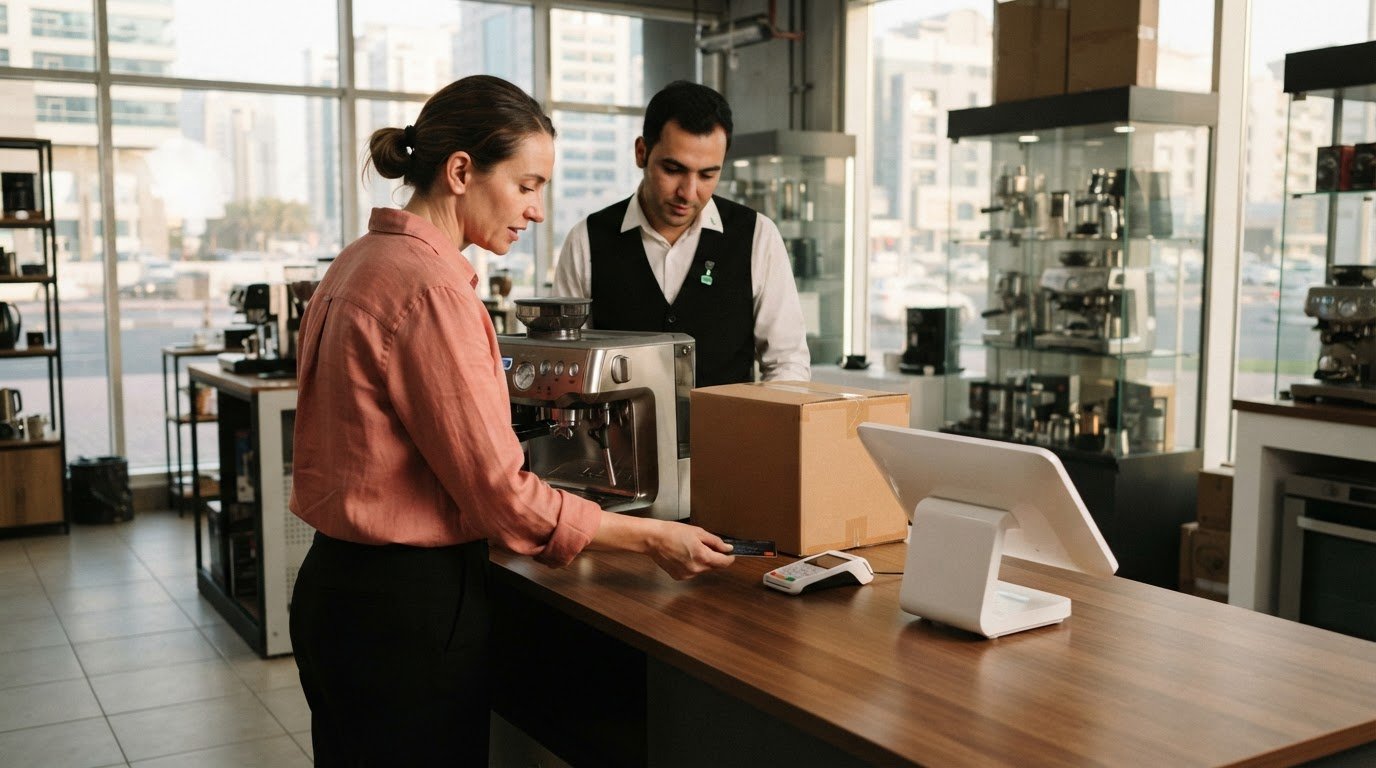
A pre-order lets customers reserve or buy a product before it is available. You can collect payment upfront, take a deposit, or charge later when the product is ready. Knowing how to handle payments for pre-orders starts with choosing an option that fits your fulfilment plan and explaining it before checkout. Customers should be able to understand the price, expected delivery window, cancellation terms, and refund process before placing an order.
Taking orders early can support demand planning, but delays or changes can quickly create uncertainty if customers don’t know what to expect. You can reduce that friction by setting a realistic delivery window, keeping the agreed price clear, and explaining what happens if an order is cancelled or shipment is delayed.
This guide explains how pre-orders work and how to set clear payment, pricing, cancellation, and refund terms for customers in the UAE. It also covers communicating changes and choosing a payment setup that supports the customer experience from checkout through fulfilment.
Key Takeaways
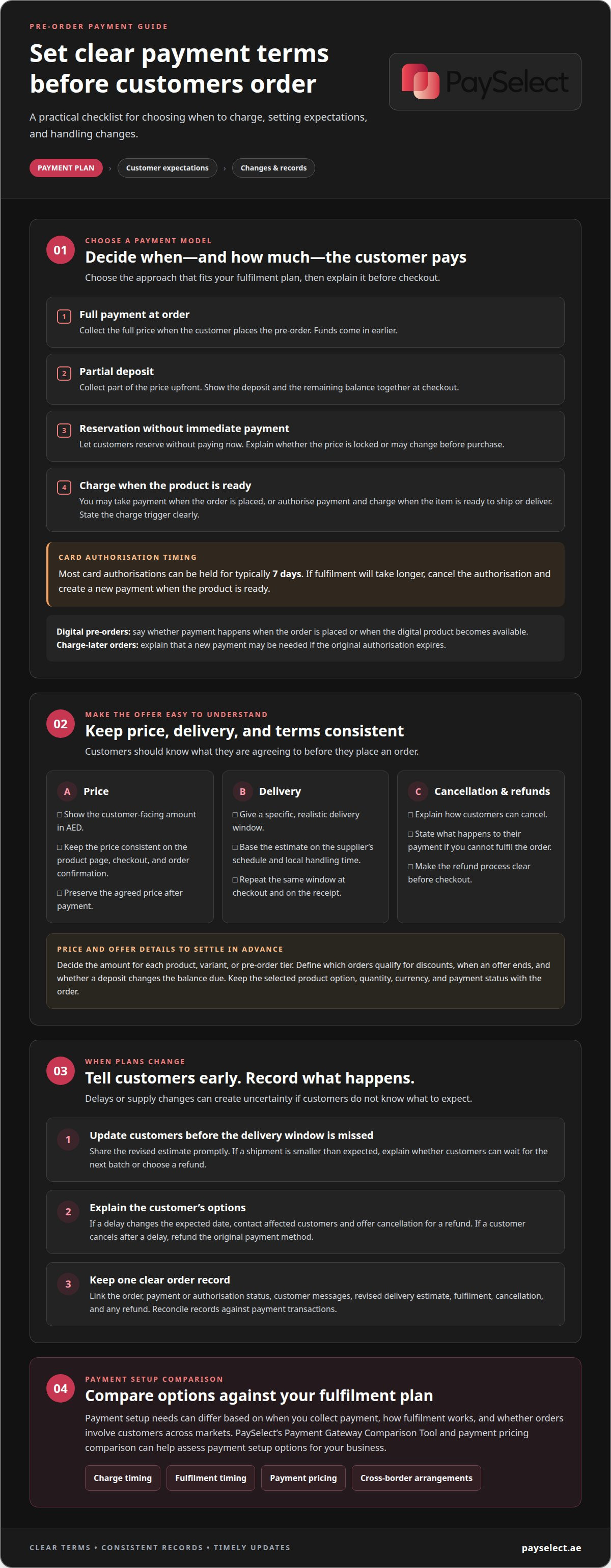
• Choose whether customers pay in full, place a deposit, reserve without paying, or are charged when their order is ready. Card authorisations typically last 7 days.
• Keep the price agreed at checkout fixed after payment to reduce confusion and potential disputes.
• Make the delivery window, cancellation options, and refund process clear before checkout, then tell customers promptly if plans change.
• Use PaySelect’s Payment Gateway Comparison Tool and payment pricing comparison to assess payment setup options for your business.
What does pre-order mean?
A pre-order lets a customer reserve or buy an item before it is available. Treat any funds collected as committed to fulfilment and potential refunds. Record each order’s amount, payment or authorisation status, fulfilment, and any refund. Apply your accounting and tax treatment consistently, and reconcile your records against payment transactions.
Choose the payment model before listing the item.
You can collect full payment when the customer orders, take a partial deposit, or accept a reservation without immediate payment. Full prepayment brings funds in earlier, while a deposit collects part of the price upfront. A seasonal launch with uncertain supply may call for different terms than a product with a firm release schedule.
Set the charge point for digital pre-orders.
Explain whether payment happens when the order is placed or when the digital product becomes available. For example, a customer ordering before a release should see the planned charge timing before checkout. Match the payment schedule to the point when the customer can access the product, and state that timing clearly.
Align shipped pre-orders with fulfilment.
You may charge the customer when the order is placed, or authorise payment and charge when the item is ready to ship or deliver. Most card authorisations can be held for typically 7 days. If fulfilment will take longer, cancel the authorisation and create a new payment when the product is ready.
Explain how charge-later works.
In this model, the customer enters card details at checkout, and the payment method is saved securely for a later charge. State the trigger, such as shipment readiness, and explain that a new payment may be needed if the original authorisation expires. For orders involving customers across markets, cross-border payment arrangements can form part of the payment setup.
Keeping preorder prices fixed
Customers who pay in advance expect the agreed price to be clear. Changing a price after payment can lead to disputes, so state the amount and any relevant terms before checkout.
Set the displayed price before opening orders.
Decide the amount for each product, variant, or preorder tier. In the UAE, display the customer-facing amount in AED. Keep the same price across the product page, checkout, and order confirmation so customers can see what they agreed to pay.
Record the price attached to each order.
Store the product option, quantity, currency, and payment status with the order. For example, if a customer selects one colour during a seasonal advance sale, retain that selection and its checkout price. This gives your fulfilment and support teams one consistent reference.
Separate paid orders from unpaid reservations.
A merchant can update a future offer before customers pay, but should preserve the agreed price after payment. If customers reserve without paying, explain whether the displayed price is locked or may change before purchase. State that difference clearly on the product page.
Define discounts and deposits in advance.
Specify which preorder orders qualify, when the offer ends, and whether a deposit changes the balance due. For instance, show the deposit amount and remaining balance together at checkout. Avoid changing an existing paid order’s price when a promotion or later price adjustment begins.
Prepare a response for pricing errors.
Review the order record before taking action on a reported mismatch. If your business can’t honour the paid price, explain the issue directly and offer a clear resolution, such as cancellation and a refund. Record the outcome against the original order to keep payment and fulfilment records aligned.
Providing transparent payment and refund terms
Publish the terms before checkout.
Put the payment schedule, expected delivery window, cancellation process, and refund conditions on the product page. Repeat the key points at checkout, where customers make their payment decision. For example, say whether payment is collected immediately or later, and explain what happens if the expected shipment window changes. Avoid wording that leaves customers guessing about when their order will arrive.
Make the delivery estimate specific and realistic.
Give customers a clear window rather than implying an exact arrival date you can’t meet. Use a range such as “10 to 20 November” when that reflects the expected shipping period. Base the estimate on the supplier’s schedule and local handling time. Show the same window on the product page, at checkout, and on the receipt.
Explain cancellation and refund steps in plain language.
State how customers can cancel, what happens to their payment, and how you process a refund if you can’t fulfil the order. If a customer cancels after a delay, refund the original payment method and record the refund against the original order. This keeps the transaction history clear for both the customer and your records.
Update customers before a delivery window is missed.
If a supplier delay changes the expected date, contact affected preorder customers with the revised estimate and offer cancellation for a refund. Don’t wait for customers to ask for an update. If an incoming shipment is smaller than expected, tell affected customers whether they can accept waiting for the next batch or choose a refund.
Keep payment records aligned with each decision.
Link the order, customer messages, revised delivery estimate, cancellation, and refund in one record. For example, when a customer accepts a new delivery window, note that response against the order. When they request a refund, record the original payment and the refund together. Clear records help staff answer questions consistently and resolve disputes with an accurate timeline.
UAE Pre-order Consumer Protection and Payment Rules
Set a realistic delivery window.
For UAE customers, base your estimate on the supplier’s confirmed schedule and your local handling time. Give a window, such as “10 to 20 November,” instead of promising arrival on one exact day. Keep the same estimate on the product page, at checkout, and on the receipt. This helps customers understand the expected timeline before paying.
Explain what happens if the estimate changes.
If a delay means you’ll miss the stated window, notify affected customers, provide a revised estimate, and offer cancellation for a refund. Send the update before the original window passes, not only after customers ask. Keep a record of the message and the customer’s response with the order.
Keep refund funds available.
Pre-order payments may arrive before fulfilment costs, but some orders may still need refunds. Maintain enough cash to cover refunds and payment disputes while orders remain outstanding. Track unpaid, paid, fulfilled, cancelled, and refunded orders separately so you can see commitments and available funds.
Offer a clear choice when supply falls short.
If an incoming shipment is smaller than expected, contact affected customers promptly. Explain whether they can wait for the next batch or receive a refund. Record each customer’s decision against the original order, then update fulfilment records to prevent an unavailable item from being treated as ready to ship.
Make payment terms easy to find and understand.
State when you’ll charge the customer, how cancellation works, and how refunds are handled. Present these terms before checkout and keep them consistent across order confirmations and customer updates. If you’re reviewing how your checkout handles pre-orders, compare payment gateway options for your business needs.
PaySelect: Payment Gateway Comparison Tool
PaySelect’s Payment Gateway Comparison Tool helps businesses compare provider options for pre-order checkout and later charges. It matches merchants with providers based on factors such as industry, transaction volume, and international requirements. Payment pricing comparisons can help you assess different pricing structures alongside the features your order flow requires.
If your pre-orders involve customers in multiple markets, PaySelect’s Cross-border Payment Solution Matching can help identify providers suited to those requirements. Comparing options can be useful when your current setup does not fit your payment timing, sales channels, or expansion plans. PaySelect matches merchants with licensed providers; it does not process payments.
Contact PaySelect to discuss your business’s payment setup.
Build a Payment Setup That Can Scale
Pre-orders can become a repeatable part of your sales model when payment decisions support both the customer journey and fulfilment. For merchants refining their online store architecture, working with specialists such as NB eCommerce & Design can help ensure checkout flows, product pages, and digital tracking are seamlessly set up. As you add products, sales channels, or international customers, review whether your payment setup still fits how you accept, charge for, and manage orders. Make this review part of planning each launch, rather than waiting for payment problems.
To decide how to handle payments for pre-orders, align your checkout needs with your wider business operations. PaySelect’s Payment Gateway Comparison Tool, POS System Selection Tool, and Cross-border Payment Solution Matching help businesses compare options for different payment needs, from online checkout and in-person sales to cross-border requirements.
For a clearer view of payment options that fit your business, contact PaySelect about payment options. A considered setup gives your next launch a stronger foundation.
Frequently Asked Questions
Do you get charged right away for a pre-order?
Not always. A merchant may collect the full payment or a deposit when you place an order, or charge you later when the product is ready. The checkout page should state when payment is due. Check your order confirmation to see whether the payment is complete or only authorised, because these statuses indicate whether funds have been taken or temporarily reserved.
How do pre-orders work?
A pre-order lets you buy or reserve a product before it is ready for fulfilment. The merchant records your selected item and payment arrangement, then fulfils the order when stock or access becomes available. For example, a retailer may accept orders for an upcoming product batch and dispatch items as they arrive. Your confirmation should identify the item and expected fulfilment window.
How long can I hold a preorder payment?
Most card authorisations for pre-orders can be held for typically 7 days. An authorisation reserves funds but does not complete the charge. If the merchant cannot fulfil the order within that window, the authorisation needs to be cancelled and a new payment created. For a high-risk payment, a card requiring Strong Customer Authentication may require you to authenticate again.
How do pre-order payments typically work?
Deciding how to handle payments for pre-orders starts with identifying when payment is due: at order placement, as a deposit, or when the product is ready to ship or deliver. For a charge-later arrangement, card details are saved securely at checkout and charged when the product is ready to ship. Before ordering, check whether your confirmation shows a completed charge, deposit, or reservation.
Should customers pay in full or place a deposit for pre-orders?
Choose an arrangement that fits the fulfilment risk and your ability to manage cancellations. Full prepayment collects the entire amount upfront; a deposit collects only part, with the balance due later. A deposit limits the amount collected before fulfilment, while full payment may suit a firm supply plan. State when any remaining balance will be charged.
What payment methods and gateways support pre-orders?
The available payment methods depend on the provider’s supported options and ability to accommodate your chosen payment timing. For example, charge-later orders need a checkout flow that securely saves card details and supports a later charge. To handle payments for pre-orders effectively, match provider capabilities to your industry, transaction volume, and international requirements.
Disclaimer
This content is for informational purposes only and should not be considered financial, legal, or regulatory advice. Payment provider availability, pricing, and approval processes vary depending on individual business circumstances. PaySelect does not guarantee provider acceptance or specific outcomes. Businesses should conduct their own due diligence before entering into any agreements.
Empowering businesses to achieve greater growth
