

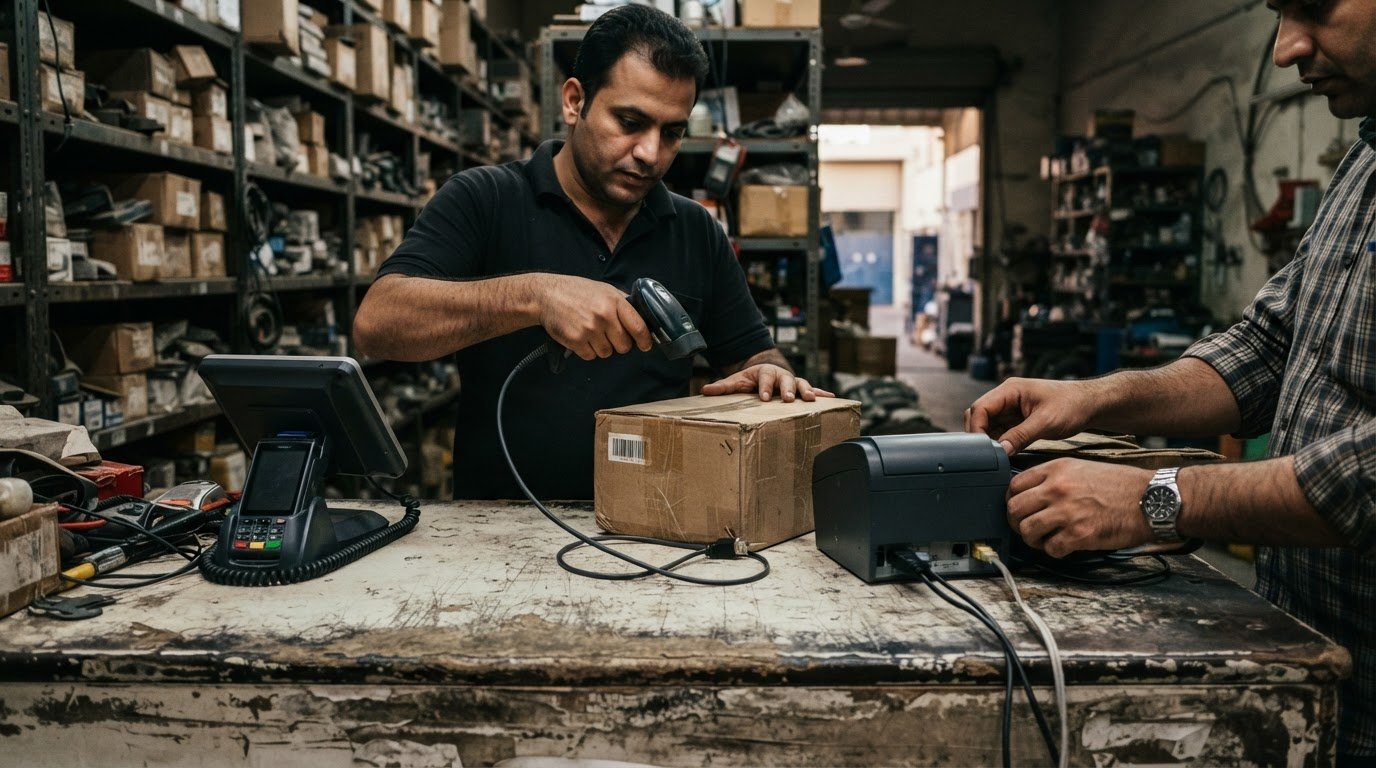
The right POS hardware is the setup that fits your payment environment, not simply the device with the lowest upfront cost. In the UAE, hardware generally needs to be provided or approved by the payments provider to work with its systems. Knowing how to choose a reliable POS hardware provider starts with understanding that requirement alongside your ownership options.
It’s reasonable to want flexibility: existing terminals and peripherals may still suit your business, while provider-approved equipment can work more smoothly with payment systems. Clarify which devices you can keep and who supports each component if a fault interrupts checkout.
This guide explains how to compare support and ownership arrangements, check compatibility with POS software and peripherals, and match terminal types to your environment. You’ll learn how to assess whether fixed, handheld, wireless, or SoftPOS equipment suits your operations.
Key Takeaways
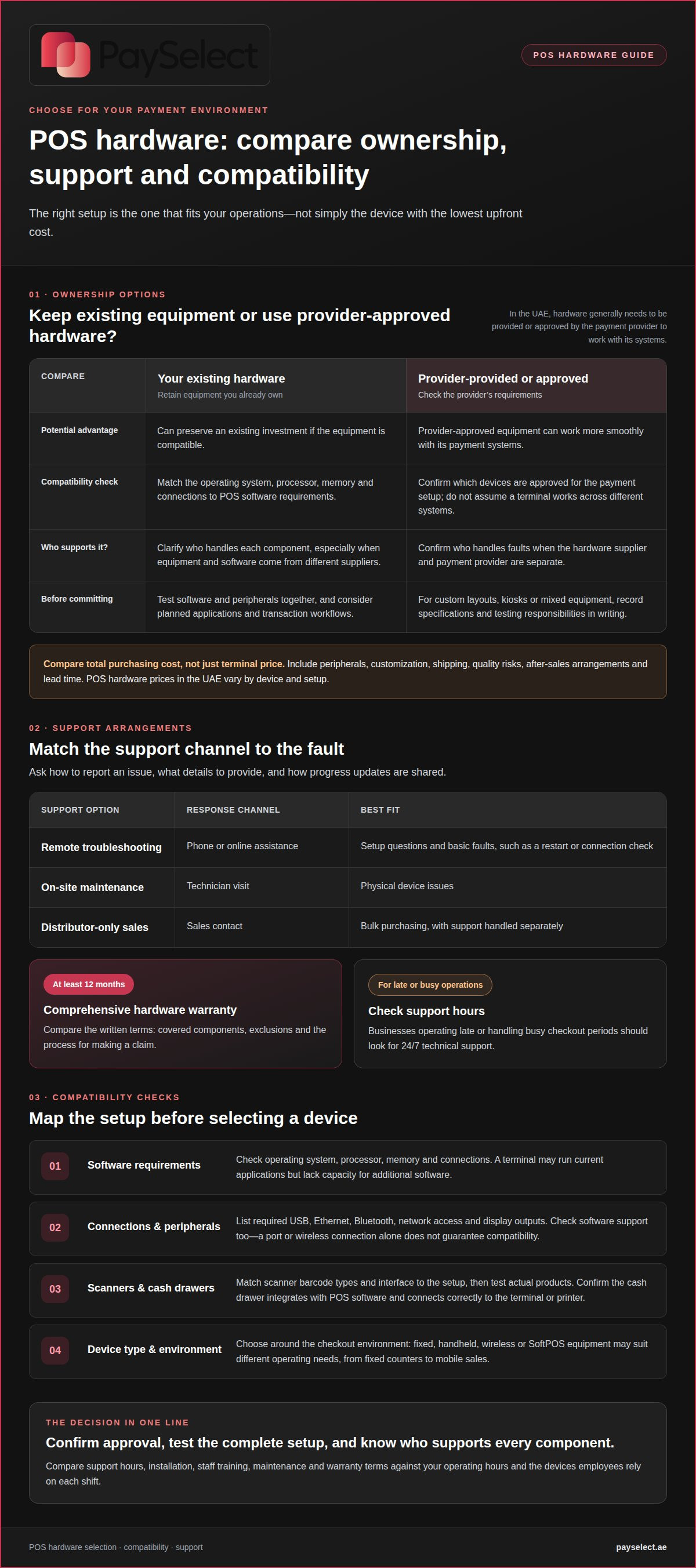
• Compare support coverage, troubleshooting options, and warranty terms against the demands of your operating hours.
• Clarify whether your existing devices can be used or whether provider-approved hardware is needed, and who supports each part of the setup.
• Map software, ports, connections, and peripherals before selecting equipment to reduce integration problems.
• Choose a device type around your checkout environment, from fixed counters to mobile sales, rather than relying on a one-size-fits-all setup.
Availability and responsiveness of technical support
Support matters when a frozen terminal stops checkout or a receipt printer fails. Compare support hours and contact methods, as well as installation, staff training, maintenance, and warranty coverage.
A POS provider should explain installation, train employees on routine tasks, and outline troubleshooting and maintenance. For example, staff should know how to restart a terminal and report scanning or printing faults.
Communication and After-Sales Support
After-sales support covers communication after installation, including fault reporting, progress updates, and help when the setup changes. Training prepares employees to use the system; after-sales support helps resolve later problems. Ask how to report a fault and what details to provide, such as the device model and error message.
In retail, a clear support process helps employees respond when checkout or inventory tasks are interrupted.
Warranties and Support
A warranty sets out which hardware faults qualify for repair or replacement, and for how long. Seek at least 12 months of comprehensive POS hardware warranty coverage. Compare the written terms, including covered components, exclusions, and the process for making a claim.
Warranty coverage applies to eligible hardware faults, while ongoing support may help troubleshoot setup or usage issues. Confirm who handles each problem when the hardware supplier and payment provider are separate.
Troubleshooting and Maintenance
Check whether support includes remote troubleshooting and on-site maintenance. Remote help may guide an employee through a restart or connection check; on-site maintenance can address a physical device issue. Ask how urgent faults are reported and how updates are communicated. Businesses operating late or handling busy checkout periods should look for 24/7 technical support.
For a POS terminal setup, match the support arrangement to the devices employees rely on each shift.
| Support option | Response channel | Best fit |
|---|---|---|
| Remote troubleshooting | Phone or online assistance | Setup questions and basic faults |
| On-site maintenance | Technician visit | Physical device issues |
| Distributor-only sales | Sales contact | Bulk purchasing, with support handled separately |
Choose support that fits your operating hours, staff needs, and likely device issues.
Can I use my own hardware or buy from the provider?
You may be able to keep existing equipment, but it must work with your POS software and payment setup. In the UAE, POS hardware generally needs to be provided or approved by the payment provider to work with its systems. Treat approval as a practical compatibility requirement rather than assuming a terminal will work across different setups.
A POS system combines hardware, software, and payment processing. Terminals handle transactions, while software supports tasks such as sales and inventory management. A retail setup may also include a barcode scanner, receipt printer, customer display, and cash drawer. Clarify which provider supports each component, especially if the equipment and software come from separate suppliers.
Using your own hardware can preserve an existing investment, but compatibility requires more than switching on the device. Match its operating system, processor, memory, and connections to the POS software requirements. A terminal may run current applications but lack the capacity for additional software. Consider planned applications and transaction workflows before choosing a configuration.
Cash drawers must integrate with the POS software and connect correctly to the terminal or printer. In a compatible setup, the drawer can open after a transaction. Clarify how employee access is managed and who handles faults involving both software and hardware.
For custom layouts, kiosks, or combinations of terminals and peripherals, define requirements before purchase. Record the agreed specifications, software compatibility, and testing responsibilities in writing.
POS hardware prices in the UAE vary by device and setup. Compare the total purchasing cost, including peripherals, customization, shipping, quality risks, after-sales arrangements, and lead time, rather than focusing on the terminal price alone.
Connectivity and peripheral compatibility
Map each device, connection, and peripheral before comparing POS hardware. Having a port or wireless connection does not guarantee that the POS software supports the equipment.
Connectivity Options
List the connections your setup requires, such as USB, Ethernet, Bluetooth, network access, and display outputs. Match these to the terminal’s available interfaces. A restaurant may need a receipt printer and customer screen, while a store may connect a cash drawer and scanner. Wireless links can reduce cables, but critical devices still need reliable connections and appropriate security measures, often supported by regional IT infrastructure partners like GenX Systems LLC to maintain stable network environments.
Barcode Scanner Compatibility
Choose a scanner that reads the barcode types in your stock, including UPC or EAN where applicable. A 2D imager can also scan QR codes, mobile coupons, and damaged labels. These functions matter when stores accept digital offers or handle worn packaging. Confirm the scanner’s interface matches the POS hardware, such as USB, Ethernet, or Bluetooth, and test actual products.
Supplier structure is another factor to compare. A POS supplier may manufacture devices or source them from other factories; neither model is automatically better. Assess product quality, software compatibility, customization, and after-sales support. For a long-term rollout, check how the supplier will maintain consistent specifications across future orders.
Compare features with actual needs, not a broad product catalogue. Check screen size against counter space, printer performance against receipt volume, and scanner capability against the items employees process. Ask for device samples and test peripherals with the intended POS application. A successful scan on one terminal does not prove compatibility with every device or software version.
For a multi-location rollout, compare suppliers against the same requirements: supported connections, tested peripherals, documentation, quality checks, and support arrangements. Record the results in a comparison sheet to make trade-offs clear and identify hardware that suits current operations and planned expansion.
Matching POS hardware to the payment environment
Choose devices for the work they need to support, not just their appearance. A fixed checkout, mobile sales point, and unattended kiosk each create different demands for payments, staff movement, and counter space.
A countertop terminal suits a fixed register with steady transaction volume. Its stable placement supports a dedicated checkout and connected peripherals. Handheld devices suit restaurants, field services, or busy stores where employees need to take payments away from the counter. Mobile terminals can support flexible checkout locations and help reduce queues during busy periods.
SoftPOS uses an NFC-enabled device to accept payments without a separate payment terminal. It may suit businesses that need a lighter setup, while unattended or IoT-based devices can accept payments at kiosks or machines without an employee present. Compare these options by location, customer interaction, and the POS software they need to connect to.
Before choosing a configuration, document users, locations, checkout stations, software applications, connected devices, and expected transaction volume. A café with table service may need handheld payment devices alongside its main counter. A retailer with fixed registers may prioritise stable terminals, while a field team needs equipment that moves with employees.
Consider the physical environment too. Dust, impacts, temperature changes, food, and moisture can affect device suitability. A busy restaurant counter has different conditions from a protected reception desk. Match hardware to the conditions it will face, and keep the setup consistent across locations with similar workflows.
Plan for growth across the next 1-3 years. A business may need additional terminals, peripherals, or locations as its operations change. Select a setup that fits today’s payment flow while supporting practical expansion, rather than buying equipment based only on current counter space or transaction volume.
Compare payment options by matching them to your business needs and operating requirements.
PaySelect
PaySelect helps UAE businesses compare payment options and assess how a POS setup fits their requirements. Its comparison and advisory services help merchants assess providers and pricing alongside hardware, compatibility, and support considerations.
This is useful when choosing a setup for a new location, reviewing existing arrangements, or planning to expand across different payment environments. First clarify your requirements, then compare suitable options against your software, peripherals, and daily workflows.
If you’d like help assessing your payment requirements, contact PaySelect.
Build a payment setup that can grow with your business
Your POS decision affects more than the checkout experience. It can shape how easily your business adds locations, supports new sales channels, or adapts its payment setup as customer needs change. Treat hardware as part of a wider payments plan so today’s choice does not become an obstacle to future operations.
Choosing POS hardware means connecting equipment decisions to how your business operates. PaySelect helps businesses compare payment providers and offers payment advisory services. If your requirements extend beyond in-person terminals, you can also review options for online and cross-border payments.
For a tailored next step, contact PaySelect about your POS hardware requirements. A clear view of your operations can help frame a more informed conversation about the payment setup that fits your business. Move forward with a solution based on your needs and growth plans.
Frequently Asked Questions
How to select the right type of POS hardware for your business?
Observe how a sale moves from employee input to customer payment and receipt. Note where queues form, whether customers need to see order details, and whether staff leave the counter during service. A trial during a representative shift can reveal usability issues that a feature list misses, such as awkward screen placement or extra checkout steps.
What Is a POS Machine Supplier?
A POS machine supplier sources or sells equipment used at checkout. Its role may differ from that of the payment provider that approves or connects a terminal to card acceptance. For clarity, identify who issues the order, who supplies each device, and which organisation handles equipment questions after delivery.
Why Choosing the Right Supplier Matters?
The supplier can affect how smoothly equipment decisions are coordinated during a rollout. If one branch receives a different device configuration, for example, staff may need separate procedures and support records. A clear supply process keeps specifications aligned and makes replacements easier to plan, especially as a business adds locations or changes its checkout model.
Why is POS Hardware Important?
POS hardware is where employees and customers interact with the sales process. A readable screen, accessible controls, and a clear customer display can reduce confusion during busy transactions. Hardware also affects how consistently staff follow checkout steps across shifts. A well-matched setup supports smoother service, while poorly placed or difficult-to-use devices can slow routine tasks.
What POS hardware features should businesses compare when choosing a provider?
Compare features against a written specification based on actual business tasks. Include screen visibility, device placement, connection types, operating requirements, and support for required peripherals. Score each proposed setup against the same criteria. A business with customer-facing checkout may prioritise display visibility, while a stock-led retailer may focus more on scanning requirements.
Do UAE POS hardware providers offer warranties and on-site repair support?
Warranty and on-site repair arrangements vary by supplier and agreement. Review what the warranty covers, how to submit a claim, and whether maintenance visits are available. Clarify who coordinates repairs when the hardware supplier and payment provider are separate businesses. Written terms make the support process clear before a fault disrupts daily operations.
Disclaimer
This content is for informational purposes only and should not be considered financial, legal, or regulatory advice. Payment provider availability, pricing, and approval processes vary depending on individual business circumstances. PaySelect does not guarantee provider acceptance or specific outcomes. Businesses should conduct their own due diligence before entering into any agreements.
Empowering businesses to achieve greater growth
