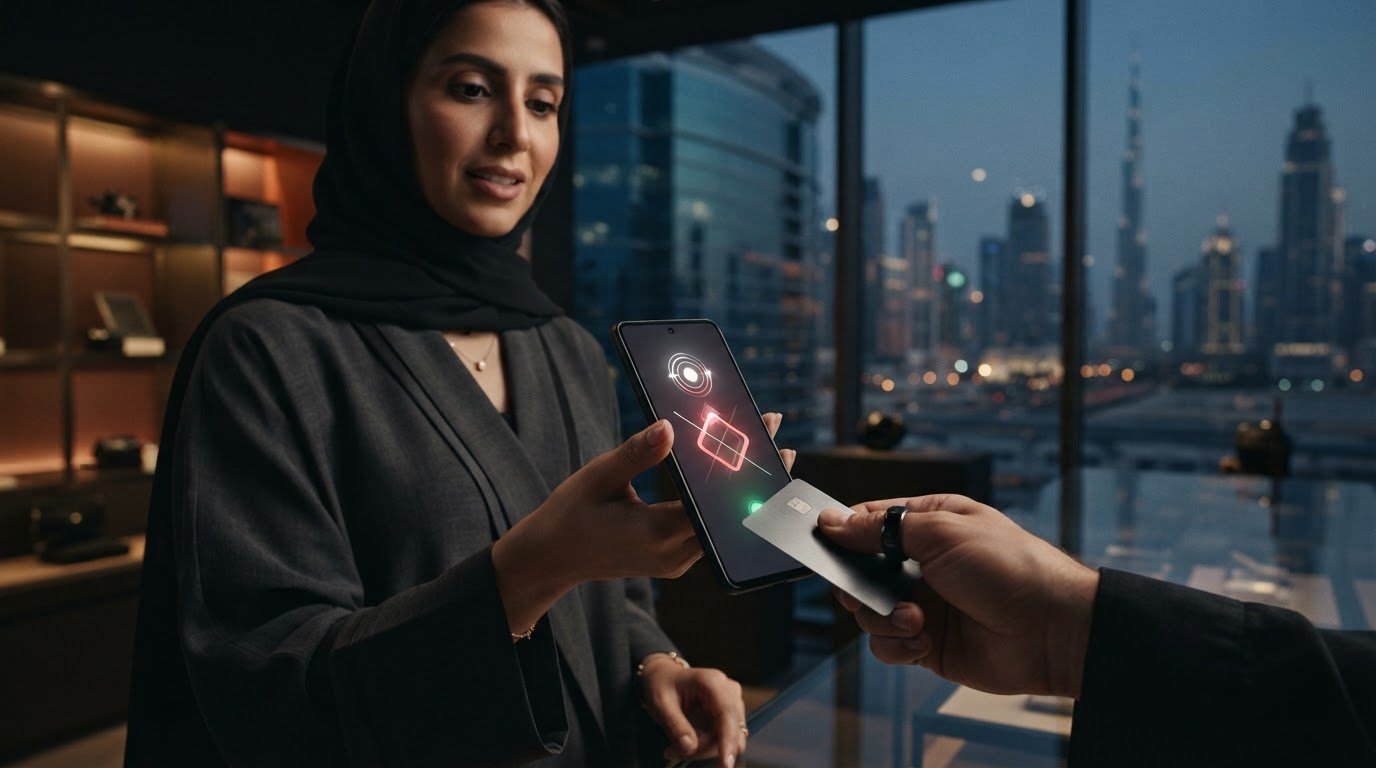
Could the phone already in your hand take the place of a payment terminal, or is tap-on-phone just another app to manage? If you’re asking what is soft POS or tap on phone technology, the short answer is that it lets a supported smartphone accept contactless payments through a payment app. But device compatibility, security and payment acceptance requirements matter before you rely on it.
Soft POS may suit staff who need to take payments away from a fixed checkout, but it isn’t automatically the right replacement for a dedicated POS terminal. This guide explains how a tap-on-phone transaction works, where it may fit, and what to check before choosing an option in the UAE. PaySelect helps businesses compare POS systems and payment options against their requirements, so you can weigh the differences without assuming one solution suits every business.
Key Takeaways
• Understand how Soft POS accepts payments, then assess whether that payment flow suits your checkout.
• Consider mobile acceptance if your team takes payments at events, away from a fixed counter or during busy queues.
• Before choosing, confirm device compatibility and ask about onboarding, accepted payment methods, transaction records, refunds and staff access.
• Compare Soft POS with dedicated terminals by looking at how your team takes payments and which checkout functions it needs.
• POS and payment gateway choices address different parts of payment acceptance. Compare each against your business requirements.
What Is Soft POS or Tap-on-Phone Technology?
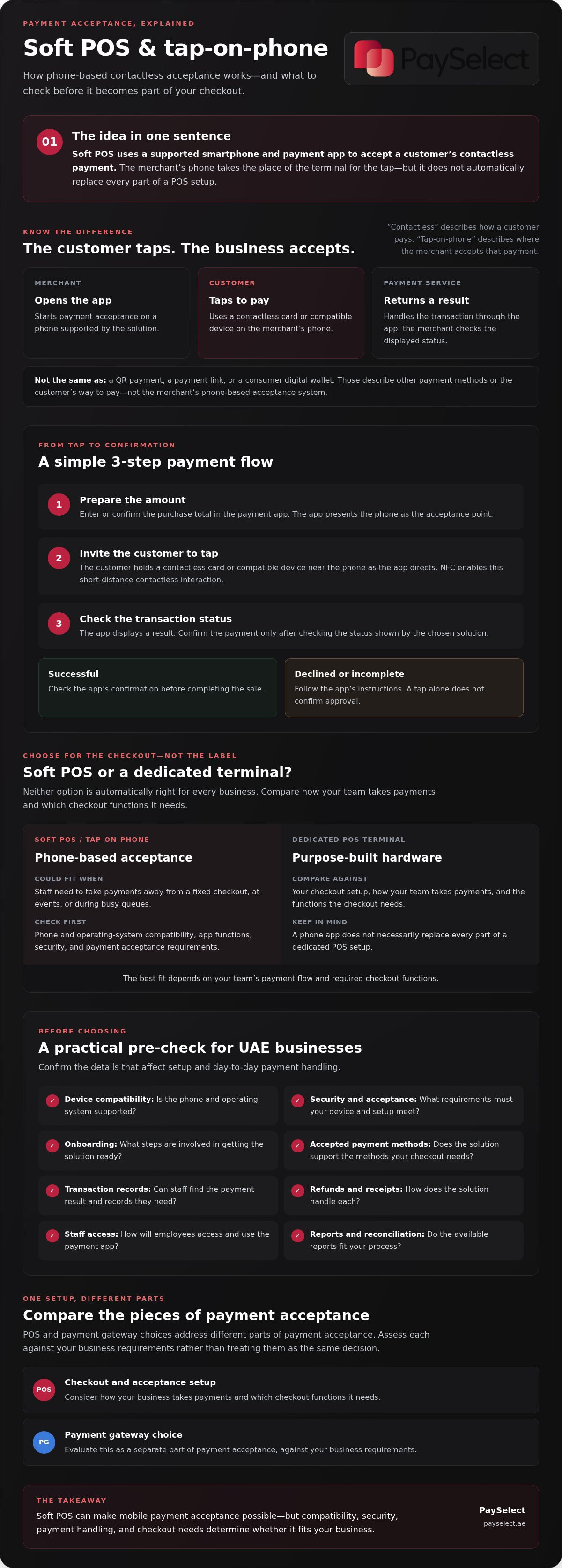
Soft POS is a software-based payment acceptance solution that lets a compatible phone accept contactless payments through a payment app. The business uses its phone as the acceptance device. The customer taps a contactless card or compatible device on it, and the payment is handled through the selected payment service. The phone is not acting as the customer’s payment app.
For a business asking “what is soft POS or tap on phone technology,” the key distinction is that the phone takes the place of the merchant-side terminal for the tap. It doesn’t automatically replace every part of a point-of-sale setup. The app, device and provider determine the available functions, while the connected payment service handles the transaction.
What does “Soft POS” mean?
“POS” means point of sale: the place or system where a business completes a purchase. A dedicated POS terminal is purpose-built hardware for accepting payments. Soft POS, short for software point of sale, uses an application on a compatible general-purpose device to provide the payment acceptance interface instead.
Installing an app alone doesn’t make any smartphone a payment terminal. The phone and software must be supported by the solution, and the payment app must connect to a payment service to handle the transaction. Device, operating system and payment acceptance requirements vary, so confirm them with the prospective provider before choosing a solution.
Is tap-on-phone the same as contactless payment?
Not exactly. Contactless payment describes how a customer pays, for example, by tapping a contactless card or compatible device. Tap-on-phone describes how the merchant accepts that payment: the customer taps on the business’s supported phone, which is running the relevant payment app.
It helps to keep the roles clear:
Merchant
opens the payment acceptance app on a supported phone.
Customer
taps a contactless card or compatible device on the merchant’s phone.
Payment service
receives the transaction through the app and returns a result.
Soft POS is different from a QR payment, where a customer scans a code, or a payment link, which lets a business request payment through a link. A consumer digital wallet is also different: it’s a way for the customer to pay, not the merchant’s phone-based acceptance system. In short, “tap-on-phone” refers to the acceptance method, while the features and requirements depend on the solution.
How Does Tap-on-Phone Payment Work from Tap to Confirmation?
A tap-on-phone transaction follows a straightforward sequence, though the screens and steps depend on the payment app and service. The merchant starts the payment, the customer taps, and the merchant checks the result before treating the sale as complete.
Prepare the amount.
Enter or confirm the purchase total in the payment app. The app then presents the phone as the payment acceptance point.
Invite the customer to tap.
The customer holds their contactless payment method near the phone as directed by the app. The devices communicate using NFC, or near-field communication, which enables contactless interactions over a short distance.
Review the result.
The payment app connects the tap to the selected payment service and displays a transaction status. Check that status in the app before confirming the payment with the customer.
What happens when a customer taps?
The customer’s payment method and the merchant’s phone communicate through contactless technology. The payment app passes the interaction to the relevant payment service, which handles the payment request. For a plain-language overview of how contactless payments work, see this guide to contactless payments.
A tap alone doesn’t confirm that a payment has been approved. The outcome depends on the payment process, so the merchant should rely on the status shown by the chosen solution. If the app reports that the payment was declined or didn’t complete, follow its instructions rather than assuming the transaction went through.
What does the merchant see after payment?
The merchant should see a transaction result in the app or related system. Check how the selected solution displays successful, declined or incomplete payments, and make sure staff know where to find that information during a sale.
Receipts, refunds and transaction reports can differ between solutions. Before choosing one, ask how staff can access a transaction record, issue a refund and provide a receipt. Check whether the available reports fit your reconciliation process. These practical details can shape the day-to-day experience as much as the tap itself.
If you’re considering how phone-based acceptance fits your checkout, compare POS system options against your business’s needs and transaction setup.
Soft POS vs a Dedicated POS Terminal: Which Fits Your Checkout?
Soft POS and a dedicated terminal can both support in-person payment acceptance, but they fit different workflows. If you’re weighing what is soft POS or tap on phone technology against a traditional setup, start with where staff take payments, which devices they can use, and what the solution includes. The Electronic Transactions Association’s expert insights on SoftPOS offer additional industry context.
| Factor | Soft POS | Dedicated POS terminal | What to verify |
|---|---|---|---|
| Hardware approach | Uses a compatible phone with payment software. | Uses a separate, purpose-built payment device. | Is the device supported, and what equipment or setup does the solution require? |
| Mobility | May suit staff who need to take payments away from a fixed checkout. | Can be positioned at a regular checkout point; ask whether the option meets any mobility needs. | Where will payments happen, and what connectivity or device access is needed? |
| Checkout context | Could be considered for mobile services, pop-up selling, queue support or occasional acceptance. | May suit teams that prefer a separate device at a regular checkout. | How does each option fit staff routines and busy periods? |
| Operational continuity | Consider who provides and manages the phone used for acceptance. | Consider who uses and maintains the terminal. | What happens if the device is unavailable, and what alternatives are supported? |
When might tap-on-phone suit a business?
Consider a service professional taking payment at a customer’s location, a seller operating a temporary stand, or staff helping customers pay away from a busy counter. These are possible scenarios, not guaranteed outcomes or features. Ask whether your team needs to accept payments away from its usual checkout and whether a compatible phone is available for that role.
When might a dedicated terminal remain useful?
A separate terminal can be a practical fit when a business wants a distinct payment device at a regular checkout, rather than relying on a phone used for other work. Consider staff handovers, device availability and what the team would do if its usual acceptance device could not be used. Neither format is automatically better; compare how each supports your daily workflow.
The right setup depends on your workflow, transaction needs, device support and provider terms. Review POS system options against your business requirements. Check the solution’s accepted payment methods, records and other features directly with the prospective provider before deciding.
What Should UAE Businesses Check Before Using Soft POS?
Before choosing a Soft POS option, check more than whether a phone can accept a tap. Device compatibility, staff workflow, transaction records and commercial terms all affect whether the solution fits your business. If you’re researching what is soft POS or tap on phone technology, verify provider claims against current documentation rather than assuming features are shared by every solution.
Is the phone and business setup compatible?
Ask the prospective provider to confirm which phone models and operating system versions its app supports, along with any contactless requirements. Check that your business can install and use the app on the intended device, and that its connectivity suits the places where staff will take payments.
Test the full workflow before relying on it during busy periods. Have staff practise starting a payment, checking its status and finding a transaction record. Confirm what happens if a device is unavailable or connectivity is interrupted, rather than assuming a fallback is included.
What security and support questions should merchants ask?
Ask the provider to explain how transaction security is handled, how staff access is managed and what to do if a device is lost. Request clear guidance on onboarding, transaction queries, refunds and technical issues. Check who handles each type of request and what support is included in the agreement.
Then review the operational details that can affect day-to-day use:
Payment methods
Which methods can customers use, and are there any limitations?
Records and refunds
Where can staff find transaction records, and how are refunds handled?
Staff access
Can access be managed to suit your team, and what happens when roles change?
Commercial terms
Review all applicable fees and terms in the provider’s disclosures. Don’t assume pricing or conditions are uniform across solutions.
Business requirements
Ask what onboarding information is needed and whether the solution fits your business’s payment setup.
For businesses in the UAE, avoid relying on broad statements about local compliance. Ask the provider for the relevant documentation for your intended use, and verify any regulatory or tax requirements with an authoritative source where needed. Device support, security arrangements and features can vary, so get answers in writing before committing.
PaySelect helps businesses compare POS options against factors such as industry, transaction volume and business requirements. Compare POS systems for your business to evaluate available options without assuming one setup is right for every merchant.
How to Compare Soft POS Options and Choose a Payment Setup
Choosing a payment setup is easier when you compare solutions against the same business needs. If you’re still asking what is soft POS or tap on phone technology, use that understanding to decide whether phone-based acceptance fits your workflow, then check the practical details before choosing.
Follow a clear sequence:
Define the use case.
Identify where payments happen, who takes them and whether staff need to accept payments away from a fixed checkout.
Confirm compatibility.
Ask each prospective provider to confirm supported devices, operating systems, contactless requirements and connectivity needs.
Compare terms.
Review supported payment methods, all applicable fees, transaction records, refund processes and other commercial conditions.
Assess support.
Clarify onboarding, staff access, and how transaction or technical questions are handled.
How can a merchant compare providers fairly?
Ask each provider the same questions. That makes differences easier to assess and reduces the risk of choosing based on one appealing feature alone. Compare whether each option supports your business needs, devices, payment methods and staff workflow. Review the service terms and available support, then verify details in the provider’s documentation.
Also separate POS and payment gateway decisions. A POS solution concerns how you accept and manage payments at the point of sale. A payment gateway supports the payment process, particularly for online transactions. The two choices can connect within a wider setup, but they address different parts of acceptance. If you’re assessing processing options, explore payment gateway comparisons.
Where can PaySelect help with the comparison?
There isn’t one Soft POS or payment setup that suits every business. Provider fit depends on factors such as your industry, transaction volume and international requirements. PaySelect is an independent comparison resource, not a payment processor or Soft POS provider. Its Take the Test tool matches merchants with options based on business-specific requirements, helping you focus your comparison.
Use the same checklist to assess the results and confirm details directly with prospective providers. PaySelect’s payment comparison tools and Take the Test matching approach can help you compare options against your business needs.
Choose a Payment Setup That Fits Your Business
Understanding what is soft POS or tap on phone technology helps you assess whether phone-based acceptance belongs in your payment setup. It may suit some workflows, while a dedicated terminal may better match others. The right choice depends on your checkout, compatible devices, payment needs and provider terms.
Before deciding, confirm device support, accepted payment methods, transaction records, refunds, staff access and applicable fees. Compare providers using the same questions, and remember that POS and payment gateway solutions address different parts of payment acceptance.
PaySelect is an independent payment comparison platform for businesses across the UAE. Its matching approach considers your industry, transaction volume and international requirements, helping you compare options based on your needs. Compare payment options for your business with PaySelect and find a setup that supports the way your team works.
Frequently Asked Questions
What is Soft POS in simple terms?
Soft POS is software that lets a compatible phone accept contactless payments for a business. The phone acts as the merchant’s payment acceptance device, while a customer taps a contactless card or compatible device to pay. If you’re asking what is soft POS or tap on phone technology, think of it as a phone-based alternative to a dedicated payment terminal, not a consumer wallet or payment app.
How does tap-on-phone technology work?
The merchant enters or confirms the amount in the payment app and asks the customer to tap their contactless payment method on the phone. The app connects that interaction to the selected payment service, which handles the payment request. The merchant should check the status shown in the app before treating the sale as complete. Screens and steps vary by solution, so confirm the process with the provider.
Is Soft POS safe for businesses to use?
Soft POS security depends on the payment solution, supported device and how the business manages access to that device. Before choosing, ask the provider how transactions are protected, how staff access is controlled and what to do if a phone is lost or tampered with. Review the provider’s security documentation and confirm which safeguards apply to your setup. Don’t assume every app or phone offers the same protections.
Can any smartphone accept contactless payments with Soft POS?
No. A smartphone needs to meet the selected solution’s device, operating system and contactless requirements, and the provider must support it. A phone having contactless features doesn’t automatically make it suitable for payment acceptance. Before purchasing or assigning devices, give the provider the exact model and software version and ask for confirmation that they’re supported. Also check that the app and connectivity will work where staff take payments.
Does Soft POS replace a traditional POS terminal?
Not necessarily. Soft POS may suit businesses that need mobile acceptance, while a dedicated terminal may fit a regular checkout or a workflow that calls for a separate payment device. The best choice depends on where staff take payments, device availability, transaction needs and required features. Some businesses may prefer one approach, while others may assess whether both fit different checkout situations.
What should a business compare before choosing a Soft POS provider?
Compare supported devices and payment methods, onboarding, transaction records, refunds, staff access, support arrangements, and all applicable fees and terms. Ask each provider the same questions so you can assess differences clearly, then check its answers against current documentation. PaySelect is an independent platform that helps businesses compare payment solutions. Its matching approach considers factors such as industry, transaction volume and international requirements.
Can Soft POS work alongside a payment gateway or POS system?
It may form part of a wider payment setup, but compatibility and integration depend on the chosen solutions. Soft POS provides a way to accept contactless payments using a supported phone. A payment gateway supports payment processing, particularly for online transactions, while a POS system can cover broader point-of-sale needs. Ask providers how the components connect, what information is shared and whether the setup meets your reporting and reconciliation needs.
Disclaimer
This content is for informational purposes only and should not be considered financial, legal, or regulatory advice. Payment provider availability, pricing, and approval processes vary depending on individual business circumstances. PaySelect does not guarantee provider acceptance or specific outcomes. Businesses should conduct their own due diligence before entering into any agreements.
Empowering businesses to achieve greater growth